Class Button
- All Implemented Interfaces:
Accessible,Actionable,Buildable,ConstraintTarget,Proxy
- Direct Known Subclasses:
LinkButton,LockButton,StyleSchemeChooserButton,ToggleButton
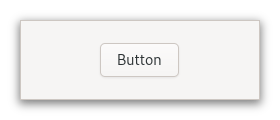
The GtkButton widget can hold any valid child widget. That is, it can hold
almost any other standard GtkWidget. The most commonly used child is the
GtkLabel.
Shortcuts and Gestures
The following signals have default keybindings:
Gtk.Button::activate
CSS nodes
GtkButton has a single CSS node with name button. The node will get the
style classes .image-button or .text-button, if the content is just an
image or label, respectively. It may also receive the .flat style class.
When activating a button via the keyboard, the button will temporarily
gain the .keyboard-activating style class.
Other style classes that are commonly used with GtkButton include
.suggested-action and .destructive-action. In special cases, buttons
can be made round by adding the .circular style class.
Button-like widgets like ToggleButton, MenuButton,
VolumeButton, LockButton, ColorButton
or FontButton use style classes such as .toggle, .popup, .scale,
.lock, .color on the button node to differentiate themselves from a plain
GtkButton.
Accessibility
GtkButton uses the Gtk.AccessibleRole.button role.
-
Nested Class Summary
Nested ClassesModifier and TypeClassDescriptionstatic interfaceFunctional interface declaration of theActivateCallbackcallback.static classButton.Builder<B extends Button.Builder<B>>Inner class implementing a builder pattern to construct a GObject with properties.static classstatic interfaceFunctional interface declaration of theClickedCallbackcallback.Nested classes/interfaces inherited from class org.gnome.gtk.Widget
Widget.DestroyCallback, Widget.DirectionChangedCallback, Widget.HideCallback, Widget.KeynavFailedCallback, Widget.MapCallback, Widget.MnemonicActivateCallback, Widget.MoveFocusCallback, Widget.QueryTooltipCallback, Widget.RealizeCallback, Widget.ShowCallback, Widget.StateFlagsChangedCallback, Widget.UnmapCallback, Widget.UnrealizeCallback, Widget.Widget$Impl, Widget.WidgetClassNested classes/interfaces inherited from class org.gnome.gobject.InitiallyUnowned
InitiallyUnowned.InitiallyUnownedClassNested classes/interfaces inherited from class org.gnome.gobject.GObject
GObject.NotifyCallback, GObject.ObjectClassNested classes/interfaces inherited from interface org.gnome.gtk.Accessible
Accessible.Accessible$Impl, Accessible.AccessibleInterfaceNested classes/interfaces inherited from interface org.gnome.gtk.Actionable
Actionable.Actionable$Impl, Actionable.ActionableInterfaceNested classes/interfaces inherited from interface org.gnome.gtk.Buildable
Buildable.Buildable$Impl, Buildable.BuildableIfaceNested classes/interfaces inherited from interface org.gnome.gtk.ConstraintTarget
ConstraintTarget.ConstraintTarget$Impl, ConstraintTarget.ConstraintTargetInterface -
Field Summary
Fields inherited from class org.javagi.base.ProxyInstance
address -
Constructor Summary
ConstructorsConstructorDescriptionButton()Creates a new Button.Button(MemorySegment address) Create a Button proxy instance for the provided memory address. -
Method Summary
Modifier and TypeMethodDescriptionprotected voidactivate()Signal that causes the button to animate press then release.protected ButtonasParent()Returns this instance as if it were its parent type.static Button.Builder<? extends Button.Builder> builder()AButton.Builderobject constructs aButtonwith the specified properties.protected voidclicked()Signal emitted when the button has been activated (pressed and released).voidEmits the "activate" signal.voidEmits the "clicked" signal.static ButtonfromIconName(String iconName) Creates a new button containing an icon from the current icon theme.booleanRetrieves whether the button can be smaller than the natural size of its contents.getChild()Gets the child widget of this Button.booleanReturns whether the button has a frame.Returns the icon name of the button.getLabel()Fetches the text from the label of the button.static MemoryLayoutThe memory layout of the native struct.static TypegetType()Get the GType of the Button classbooleangets whether underlines are interpreted as mnemonics.onActivate(Button.ActivateCallback handler) Emitted to animate press then release.onClicked(Button.ClickedCallback handler) Emitted when the button has been activated (pressed and released).voidsetCanShrink(boolean canShrink) Sets whether the button size can be smaller than the natural size of its contents.voidSets the child widget of this Button.voidsetHasFrame(boolean hasFrame) Sets the style of the button.voidsetIconName(String iconName) Adds aGtkImagewith the given icon name as a child.voidSets the text of the label of the button tolabel.voidsetUseUnderline(boolean useUnderline) Sets whether to use underlines as mnemonics.static ButtonCreates aGtkButtonwidget with aGtkLabelchild.static ButtonwithMnemonic(String label) Creates a newGtkButtoncontaining a label.Methods inherited from class org.gnome.gtk.Widget
actionSetEnabled, activateActionIfExists, activateDefault, activateWidget, addController, addCssClass, addMnemonicLabel, addTickCallback, allocate, childFocus, computeBounds, computeExpand, computeExpand, computePoint, computeTransform, contains, createPangoContext, createPangoLayout, cssChanged, directionChanged, disposeTemplate, dragCheckThreshold, emitDestroy, emitDirectionChanged, emitHide, emitKeynavFailed, emitMap, emitMnemonicActivate, emitMoveFocus, emitQueryTooltip, emitRealize, emitShow, emitStateFlagsChanged, emitUnmap, emitUnrealize, errorBell, focus, getAllocatedBaseline, getAllocatedHeight, getAllocatedWidth, getAllocation, getAncestor, getBaseline, getCanFocus, getCanTarget, getChildVisible, getClipboard, getColor, getCssClasses, getCssName, getCursor, getDefaultDirection, getDirection, getDisplay, getFirstChild, getFocusable, getFocusChild, getFocusOnClick, getFontMap, getFontOptions, getFrameClock, getHalign, getHasTooltip, getHeight, getHexpand, getHexpandSet, getLastChild, getLayoutManager, getLimitEvents, getMapped, getMarginBottom, getMarginEnd, getMarginStart, getMarginTop, getName, getNative, getNextSibling, getOpacity, getOverflow, getPangoContext, getParent, getPreferredSize, getPrevSibling, getPrimaryClipboard, getRealized, getReceivesDefault, getRequestMode, getRoot, getScaleFactor, getSensitive, getSettings, getSize, getSizeRequest, getStateFlags, getStyleContext, getTemplateChild, getTooltipMarkup, getTooltipText, getValign, getVexpand, getVexpandSet, getVisible, getWidth, grabFocus, hasCssClass, hasDefault, hasFocus, hasVisibleFocus, hide, inDestruction, initTemplate, insertActionGroup, insertAfter, insertBefore, isAncestor, isDrawable, isFocus, isSensitive, isVisible, keynavFailed, listMnemonicLabels, map, measure, mnemonicActivate, moveFocus, observeChildren, observeControllers, onDestroy, onDirectionChanged, onHide, onKeynavFailed, onMap, onMnemonicActivate, onMoveFocus, onQueryTooltip, onRealize, onShow, onStateFlagsChanged, onUnmap, onUnrealize, pick, pick, queryTooltip, queueAllocate, queueDraw, queueResize, realize, removeController, removeCssClass, removeMnemonicLabel, removeTickCallback, root, setCanFocus, setCanTarget, setChildVisible, setCssClasses, setCursor, setCursorFromName, setDefaultDirection, setDirection, setFocusable, setFocusChild, setFocusOnClick, setFontMap, setFontOptions, setHalign, setHasTooltip, setHexpand, setHexpandSet, setLayoutManager, setLimitEvents, setMarginBottom, setMarginEnd, setMarginStart, setMarginTop, setName, setOpacity, setOverflow, setParent, setReceivesDefault, setSensitive, setSizeRequest, setStateFlags, setStateFlags, setTooltipMarkup, setTooltipText, setValign, setVexpand, setVexpandSet, setVisible, shouldLayout, show, sizeAllocate, sizeAllocate, snapshot, snapshotChild, stateFlagsChanged, systemSettingChanged, translateCoordinates, triggerTooltipQuery, unmap, unparent, unrealize, unroot, unsetStateFlags, unsetStateFlagsMethods inherited from class org.gnome.gobject.GObject
addToggleRef, addWeakPointer, bindProperty, bindProperty, bindProperty, bindPropertyFull, bindPropertyFull, bindPropertyWithClosures, bindPropertyWithClosures, compatControl, connect, connect, connect, constructed, disconnect, dispatchPropertiesChanged, dispose, dupData, dupQdata, emit, emitNotify, finalize_, forceFloating, freezeNotify, get, getData, getProperty, getProperty, getProperty, getQdata, getv, interfaceFindProperty, interfaceInstallProperty, interfaceListProperties, isFloating, newInstance, newInstance, newv, notify, notify, notifyByPspec, onNotify, ref, refSink, removeToggleRef, removeWeakPointer, replaceData, replaceQdata, runDispose, set, setData, setDataFull, setProperty, setProperty, setProperty, setQdata, setQdataFull, setv, stealData, stealQdata, takeRef, thawNotify, unref, watchClosure, weakRef, weakUnref, withPropertiesMethods inherited from class org.gnome.gobject.TypeInstance
callParent, callParent, getPrivate, readGClass, writeGClassMethods inherited from class org.javagi.base.ProxyInstance
equals, handle, hashCodeMethods inherited from class java.lang.Object
clone, finalize, getClass, notify, notifyAll, toString, wait, wait, waitMethods inherited from interface org.gnome.gtk.Accessible
announce, getAccessibleParent, getAccessibleRole, getAtContext, getBounds, getFirstAccessibleChild, getNextAccessibleSibling, getPlatformState, resetProperty, resetRelation, resetState, setAccessibleParent, updateNextAccessibleSibling, updatePlatformState, updateProperty, updateRelation, updateStateMethods inherited from interface org.gnome.gtk.Actionable
getActionName, getActionTargetValue, setActionName, setActionTarget, setActionTargetValue, setDetailedActionNameMethods inherited from interface org.gnome.gtk.Buildable
getBuildableId
-
Constructor Details
-
Button
Create a Button proxy instance for the provided memory address.- Parameters:
address- the memory address of the native object
-
Button
public Button()Creates a new Button.
-
-
Method Details
-
getType
-
getMemoryLayout
The memory layout of the native struct.- Returns:
- the memory layout
-
asParent
Returns this instance as if it were its parent type. This is mostly synonymous to the Javasuperkeyword, but will set the native typeclass function pointers to the parent type. When overriding a native virtual method in Java, "chaining up" withsuper.methodName()doesn't work, because it invokes the overridden function pointer again. To chain up, callasParent().methodName(). This will call the native function pointer of this virtual method in the typeclass of the parent type. -
fromIconName
Creates a new button containing an icon from the current icon theme.If the icon name isn’t known, a “broken image” icon will be displayed instead. If the current icon theme is changed, the icon will be updated appropriately.
- Parameters:
iconName- an icon name- Returns:
- a new
GtkButtondisplaying the themed icon
-
withLabel
-
withMnemonic
Creates a newGtkButtoncontaining a label.If characters in
labelare preceded by an underscore, they are underlined. If you need a literal underscore character in a label, use “__” (two underscores). The first underlined character represents a keyboard accelerator called a mnemonic. PressingAltand that key activates the button.- Parameters:
label- The text of the button, with an underscore in front of the mnemonic character- Returns:
- a new
GtkButton
-
getCanShrink
public boolean getCanShrink()Retrieves whether the button can be smaller than the natural size of its contents.- Returns:
- true if the button can shrink, and false otherwise
- Since:
- 4.12
-
getChild
Gets the child widget of this Button.- Returns:
- the child widget of this Button
-
getHasFrame
public boolean getHasFrame()Returns whether the button has a frame.- Returns:
trueif the button has a frame
-
getIconName
Returns the icon name of the button.If the icon name has not been set with
setIconName(java.lang.String)the return value will benull. This will be the case if you create an empty button withButton()to use as a container.- Returns:
- The icon name set via
setIconName(java.lang.String)
-
getLabel
Fetches the text from the label of the button.If the label text has not been set with
setLabel(java.lang.String)the return value will benull. This will be the case if you create an empty button withButton()to use as a container.- Returns:
- The text of the label widget. This string is owned by the widget and must not be modified or freed.
-
getUseUnderline
public boolean getUseUnderline()gets whether underlines are interpreted as mnemonics.- Returns:
trueif an embedded underline in the button label indicates the mnemonic accelerator keys.
-
setCanShrink
public void setCanShrink(boolean canShrink) Sets whether the button size can be smaller than the natural size of its contents.For text buttons, setting
canShrinkto true will ellipsize the label.For icons and custom children, this function has no effect.
- Parameters:
canShrink- whether the button can shrink- Since:
- 4.12
-
setChild
Sets the child widget of this Button.Note that by using this API, you take full responsibility for setting up the proper accessibility label and description information for this Button. Most likely, you'll either set the accessibility label or description for this Button explicitly, or you'll set a labelled-by or described-by relations from
childto this Button.- Parameters:
child- the child widget
-
setHasFrame
public void setHasFrame(boolean hasFrame) Sets the style of the button.Buttons can have a flat appearance or have a frame drawn around them.
- Parameters:
hasFrame- whether the button should have a visible frame
-
setIconName
Adds aGtkImagewith the given icon name as a child.If this Button already contains a child widget, that child widget will be removed and replaced with the image.
- Parameters:
iconName- An icon name
-
setLabel
Sets the text of the label of the button tolabel.This will also clear any previously set labels.
- Parameters:
label- a string
-
setUseUnderline
public void setUseUnderline(boolean useUnderline) Sets whether to use underlines as mnemonics.If true, an underline in the text of the button label indicates the next character should be used for the mnemonic accelerator key.
- Parameters:
useUnderline-trueif underlines in the text indicate mnemonics
-
activate
protected void activate()Signal that causes the button to animate press then release. Applications should never connect to this signal, but use theclickedsignal. -
clicked
protected void clicked()Signal emitted when the button has been activated (pressed and released). -
onActivate
Emitted to animate press then release.This is an action signal. Applications should never connect to this signal, but use the
Gtk.Button::clickedsignal.The default bindings for this signal are all forms of the
␣andEnterkeys.- Parameters:
handler- the signal handler- Returns:
- a signal handler ID to keep track of the signal connection
- See Also:
-
emitActivate
public void emitActivate()Emits the "activate" signal. SeeonActivate(org.gnome.gtk.Button.ActivateCallback). -
onClicked
Emitted when the button has been activated (pressed and released).- Parameters:
handler- the signal handler- Returns:
- a signal handler ID to keep track of the signal connection
- See Also:
-
emitClicked
public void emitClicked()Emits the "clicked" signal. SeeonClicked(org.gnome.gtk.Button.ClickedCallback). -
builder
AButton.Builderobject constructs aButtonwith the specified properties. Use the variousset...()methods to set properties, and finish construction withButton.Builder.build().
-