Class FontDialogButton
- All Implemented Interfaces:
Accessible,Buildable,ConstraintTarget,Proxy
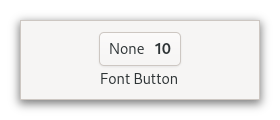
It is suitable widget for selecting a font in a preference dialog.
CSS nodes
 fontbutton
 ╰── button.font
     ╰── [content]
GtkFontDialogButton has a single CSS node with name fontbutton which
contains a button node with the .font style class.
- Since:
- 4.10
-
Nested Class Summary
Nested ClassesModifier and TypeClassDescriptionstatic interfaceFunctional interface declaration of theActivateCallbackcallback.static classFontDialogButton.Builder<B extends FontDialogButton.Builder<B>>Inner class implementing a builder pattern to construct a GObject with properties.static classNested classes/interfaces inherited from class org.gnome.gtk.Widget
Widget.DestroyCallback, Widget.DirectionChangedCallback, Widget.HideCallback, Widget.KeynavFailedCallback, Widget.MapCallback, Widget.MnemonicActivateCallback, Widget.MoveFocusCallback, Widget.QueryTooltipCallback, Widget.RealizeCallback, Widget.ShowCallback, Widget.StateFlagsChangedCallback, Widget.UnmapCallback, Widget.UnrealizeCallback, Widget.Widget$Impl, Widget.WidgetClassNested classes/interfaces inherited from class org.gnome.gobject.InitiallyUnowned
InitiallyUnowned.InitiallyUnownedClassNested classes/interfaces inherited from class org.gnome.gobject.GObject
GObject.NotifyCallback, GObject.ObjectClassNested classes/interfaces inherited from interface org.gnome.gtk.Accessible
Accessible.Accessible$Impl, Accessible.AccessibleInterfaceNested classes/interfaces inherited from interface org.gnome.gtk.Buildable
Buildable.Buildable$Impl, Buildable.BuildableIfaceNested classes/interfaces inherited from interface org.gnome.gtk.ConstraintTarget
ConstraintTarget.ConstraintTarget$Impl, ConstraintTarget.ConstraintTargetInterface -
Field Summary
Fields inherited from class org.javagi.base.ProxyInstance
address -
Constructor Summary
ConstructorsConstructorDescriptionCreates a new FontDialogButton.FontDialogButton(MemorySegment address) Create a FontDialogButton proxy instance for the provided memory address.FontDialogButton(@Nullable FontDialog dialog) Creates a newGtkFontDialogButtonwith the givenGtkFontDialog. -
Method Summary
Modifier and TypeMethodDescriptionprotected FontDialogButtonasParent()Returns this instance as if it were its parent type.static FontDialogButton.Builder<? extends FontDialogButton.Builder> builder()AFontDialogButton.Builderobject constructs aFontDialogButtonwith the specified properties.voidEmits the "activate" signal.Returns theGtkFontDialogof this FontDialogButton.Returns the font of the button.Returns the font features of the button.Returns the language that is used for font features.getLevel()Returns the level of detail at which this dialog lets the user select fonts.static TypegetType()Get the GType of the FontDialogButton classbooleanReturns whether the selected font is used in the label.booleanReturns whether the selected font size is used in the label.Emitted when the font dialog button is activated.voidsetDialog(FontDialog dialog) Sets aGtkFontDialogobject to use for creating the font chooser dialog that is presented when the user clicks the button.voidsetFontDesc(FontDescription fontDesc) Sets the font of the button.voidsetFontFeatures(@Nullable String fontFeatures) Sets the font features of the button.voidsetLanguage(@Nullable Language language) Sets the language to use for font features.voidSets the level of detail at which this dialog lets the user select fonts.voidsetUseFont(boolean useFont) IfuseFontisTRUE, the font name will be written using the selected font.voidsetUseSize(boolean useSize) IfuseSizeisTRUE, the font name will be written using the selected font size.Methods inherited from class org.gnome.gtk.Widget
actionSetEnabled, activateActionIfExists, activateDefault, activateWidget, addController, addCssClass, addMnemonicLabel, addTickCallback, allocate, childFocus, computeBounds, computeExpand, computeExpand, computePoint, computeTransform, contains, createPangoContext, createPangoLayout, cssChanged, directionChanged, disposeTemplate, dragCheckThreshold, emitDestroy, emitDirectionChanged, emitHide, emitKeynavFailed, emitMap, emitMnemonicActivate, emitMoveFocus, emitQueryTooltip, emitRealize, emitShow, emitStateFlagsChanged, emitUnmap, emitUnrealize, errorBell, focus, getAllocatedBaseline, getAllocatedHeight, getAllocatedWidth, getAllocation, getAncestor, getBaseline, getCanFocus, getCanTarget, getChildVisible, getClipboard, getColor, getCssClasses, getCssName, getCursor, getDefaultDirection, getDirection, getDisplay, getFirstChild, getFocusable, getFocusChild, getFocusOnClick, getFontMap, getFontOptions, getFrameClock, getHalign, getHasTooltip, getHeight, getHexpand, getHexpandSet, getLastChild, getLayoutManager, getLimitEvents, getMapped, getMarginBottom, getMarginEnd, getMarginStart, getMarginTop, getMemoryLayout, getName, getNative, getNextSibling, getOpacity, getOverflow, getPangoContext, getParent, getPreferredSize, getPrevSibling, getPrimaryClipboard, getRealized, getReceivesDefault, getRequestMode, getRoot, getScaleFactor, getSensitive, getSettings, getSize, getSizeRequest, getStateFlags, getStyleContext, getTemplateChild, getTooltipMarkup, getTooltipText, getValign, getVexpand, getVexpandSet, getVisible, getWidth, grabFocus, hasCssClass, hasDefault, hasFocus, hasVisibleFocus, hide, inDestruction, initTemplate, insertActionGroup, insertAfter, insertBefore, isAncestor, isDrawable, isFocus, isSensitive, isVisible, keynavFailed, listMnemonicLabels, map, measure, mnemonicActivate, moveFocus, observeChildren, observeControllers, onDestroy, onDirectionChanged, onHide, onKeynavFailed, onMap, onMnemonicActivate, onMoveFocus, onQueryTooltip, onRealize, onShow, onStateFlagsChanged, onUnmap, onUnrealize, pick, pick, queryTooltip, queueAllocate, queueDraw, queueResize, realize, removeController, removeCssClass, removeMnemonicLabel, removeTickCallback, root, setCanFocus, setCanTarget, setChildVisible, setCssClasses, setCursor, setCursorFromName, setDefaultDirection, setDirection, setFocusable, setFocusChild, setFocusOnClick, setFontMap, setFontOptions, setHalign, setHasTooltip, setHexpand, setHexpandSet, setLayoutManager, setLimitEvents, setMarginBottom, setMarginEnd, setMarginStart, setMarginTop, setName, setOpacity, setOverflow, setParent, setReceivesDefault, setSensitive, setSizeRequest, setStateFlags, setStateFlags, setTooltipMarkup, setTooltipText, setValign, setVexpand, setVexpandSet, setVisible, shouldLayout, show, sizeAllocate, sizeAllocate, snapshot, snapshotChild, stateFlagsChanged, systemSettingChanged, translateCoordinates, triggerTooltipQuery, unmap, unparent, unrealize, unroot, unsetStateFlags, unsetStateFlagsMethods inherited from class org.gnome.gobject.GObject
addToggleRef, addWeakPointer, bindProperty, bindProperty, bindProperty, bindPropertyFull, bindPropertyFull, bindPropertyWithClosures, bindPropertyWithClosures, compatControl, connect, connect, connect, constructed, disconnect, dispatchPropertiesChanged, dispose, dupData, dupQdata, emit, emitNotify, finalize_, forceFloating, freezeNotify, get, getData, getProperty, getProperty, getProperty, getQdata, getv, interfaceFindProperty, interfaceInstallProperty, interfaceListProperties, isFloating, newInstance, newInstance, newv, notify, notify, notifyByPspec, onNotify, ref, refSink, removeToggleRef, removeWeakPointer, replaceData, replaceQdata, runDispose, set, setData, setDataFull, setProperty, setProperty, setProperty, setQdata, setQdataFull, setv, stealData, stealQdata, takeRef, thawNotify, unref, watchClosure, weakRef, weakUnref, withPropertiesMethods inherited from class org.gnome.gobject.TypeInstance
callParent, callParent, getPrivate, readGClass, writeGClassMethods inherited from class org.javagi.base.ProxyInstance
equals, handle, hashCodeMethods inherited from class java.lang.Object
clone, finalize, getClass, notify, notifyAll, toString, wait, wait, waitMethods inherited from interface org.gnome.gtk.Accessible
announce, getAccessibleParent, getAccessibleRole, getAtContext, getBounds, getFirstAccessibleChild, getNextAccessibleSibling, getPlatformState, resetProperty, resetRelation, resetState, setAccessibleParent, updateNextAccessibleSibling, updatePlatformState, updateProperty, updateRelation, updateStateMethods inherited from interface org.gnome.gtk.Buildable
getBuildableId
-
Constructor Details
-
FontDialogButton
Create a FontDialogButton proxy instance for the provided memory address.- Parameters:
address- the memory address of the native object
-
FontDialogButton
Creates a newGtkFontDialogButtonwith the givenGtkFontDialog.You can pass
NULLto this function and set aGtkFontDialoglater. The button will be insensitive until that happens.- Parameters:
dialog- theGtkFontDialogto use- Since:
- 4.10
-
FontDialogButton
public FontDialogButton()Creates a new FontDialogButton.
-
-
Method Details
-
getType
-
asParent
Returns this instance as if it were its parent type. This is mostly synonymous to the Javasuperkeyword, but will set the native typeclass function pointers to the parent type. When overriding a native virtual method in Java, "chaining up" withsuper.methodName()doesn't work, because it invokes the overridden function pointer again. To chain up, callasParent().methodName(). This will call the native function pointer of this virtual method in the typeclass of the parent type. -
getDialog
Returns theGtkFontDialogof this FontDialogButton.- Returns:
- the
GtkFontDialog - Since:
- 4.10
-
getFontDesc
Returns the font of the button.This function is what should be used to obtain the font that was chosen by the user. To get informed about changes, listen to "notify::font-desc".
- Returns:
- the font
- Since:
- 4.10
-
getFontFeatures
Returns the font features of the button.This function is what should be used to obtain the font features that were chosen by the user. To get informed about changes, listen to "notify::font-features".
Note that the button will only let users choose font features if
Gtk.FontDialogButton:levelis set toGTK_FONT_LEVEL_FEATURES.- Returns:
- the font features
- Since:
- 4.10
-
getLanguage
Returns the language that is used for font features.- Returns:
- the language
- Since:
- 4.10
-
getLevel
Returns the level of detail at which this dialog lets the user select fonts.- Returns:
- the level of detail
- Since:
- 4.10
-
getUseFont
public boolean getUseFont()Returns whether the selected font is used in the label.- Returns:
- whether the selected font is used in the label
- Since:
- 4.10
-
getUseSize
public boolean getUseSize()Returns whether the selected font size is used in the label.- Returns:
- whether the selected font size is used in the label
- Since:
- 4.10
-
setDialog
Sets aGtkFontDialogobject to use for creating the font chooser dialog that is presented when the user clicks the button.- Parameters:
dialog- the newGtkFontDialog- Since:
- 4.10
-
setFontDesc
Sets the font of the button.- Parameters:
fontDesc- the new font- Since:
- 4.10
-
setFontFeatures
Sets the font features of the button.- Parameters:
fontFeatures- the font features- Since:
- 4.10
-
setLanguage
Sets the language to use for font features.- Parameters:
language- the new language- Since:
- 4.10
-
setLevel
Sets the level of detail at which this dialog lets the user select fonts.- Parameters:
level- the level of detail- Since:
- 4.10
-
setUseFont
public void setUseFont(boolean useFont) IfuseFontisTRUE, the font name will be written using the selected font.- Parameters:
useFont- IfTRUE, font name will be written using the chosen font- Since:
- 4.10
-
setUseSize
public void setUseSize(boolean useSize) IfuseSizeisTRUE, the font name will be written using the selected font size.- Parameters:
useSize- IfTRUE, font name will be written using the chosen font size- Since:
- 4.10
-
onActivate
public SignalConnection<FontDialogButton.ActivateCallback> onActivate(FontDialogButton.ActivateCallback handler) Emitted when the font dialog button is activated.The
::activatesignal onGtkFontDialogButtonis an action signal and emitting it causes the button to pop up its dialog.- Parameters:
handler- the signal handler- Returns:
- a signal handler ID to keep track of the signal connection
- Since:
- 4.14
- See Also:
-
emitActivate
public void emitActivate()Emits the "activate" signal. SeeonActivate(org.gnome.gtk.FontDialogButton.ActivateCallback). -
builder
AFontDialogButton.Builderobject constructs aFontDialogButtonwith the specified properties. Use the variousset...()methods to set properties, and finish construction withFontDialogButton.Builder.build().
-