Class Notebook
- All Implemented Interfaces:
Accessible,Buildable,ConstraintTarget,Proxy
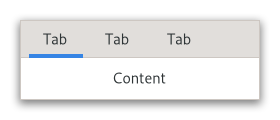
There are many configuration options for GtkNotebook. Among
other things, you can choose on which edge the tabs appear
(see setTabPos(org.gnome.gtk.PositionType)), whether, if there are
too many tabs to fit the notebook should be made bigger or scrolling
arrows added (see setScrollable(boolean)), and whether
there will be a popup menu allowing the users to switch pages.
(see popupEnable()).
GtkNotebook as GtkBuildable
The GtkNotebook implementation of the GtkBuildable interface
supports placing children into tabs by specifying “tab” as the
“type” attribute of a <child> element. Note that the content
of the tab must be created before the tab can be filled.
A tab child can be specified without specifying a <child>
type attribute.
To add a child widget in the notebooks action area, specify
"action-start" or “action-end” as the “type” attribute of the
<child> element.
An example of a UI definition fragment with GtkNotebook:
<object class="GtkNotebook">
   <child>
     <object class="GtkLabel" id="notebook-content">
       <property name="label">Content</property>
     </object>
   </child>
   <child type="tab">
     <object class="GtkLabel" id="notebook-tab">
       <property name="label">Tab</property>
     </object>
   </child>
 </object>
Shortcuts and Gestures
GtkNotebook supports the following keyboard shortcuts:
Shift+F10orMenuopens the context menu.Homemoves the focus to the first tab.Endmoves the focus to the last tab.
Additionally, the following signals have default keybindings:
Gtk.Notebook::change-current-pageGtk.Notebook::focus-tabGtk.Notebook::move-focus-outGtk.Notebook::reorder-tabGtk.Notebook::select-page
Tabs support drag-and-drop between notebooks sharing the same group-name,
or to new windows by handling the ::create-window signal.
Actions
GtkNotebook defines a set of built-in actions:
menu.popupopens the tabs context menu.
CSS nodes
 notebook
 ├── header.top
 │   ├── [<action widget>]
 │   ├── tabs
 │   │   ├── [arrow]
 │   │   ├── tab
 │   │   │   ╰── <tab label>
 ┊   ┊   ┊
 │   │   ├── tab[.reorderable-page]
 │   │   │   ╰── <tab label>
 │   │   ╰── [arrow]
 │   ╰── [<action widget>]
 │
 ╰── stack
     ├── <child>
     ┊
     ╰── <child>
GtkNotebook has a main CSS node with name notebook, a subnode
with name header and below that a subnode with name tabs which
contains one subnode per tab with name tab.
If action widgets are present, their CSS nodes are placed next
to the tabs node. If the notebook is scrollable, CSS nodes with
name arrow are placed as first and last child of the tabs node.
The main node gets the .frame style class when the notebook
has a border (see setShowBorder(boolean)).
The header node gets one of the style class .top, .bottom,
.left or .right, depending on where the tabs are placed. For
reorderable pages, the tab node gets the .reorderable-page class.
A tab node gets the .dnd style class while it is moved with drag-and-drop.
The nodes are always arranged from left-to-right, regardless of text direction.
Accessibility
GtkNotebook uses the following roles:
Gtk.AccessibleRole.groupfor the notebook widgetGtk.AccessibleRole.tab_listfor the list of tabsGtk.AccessibleRole.tabrole for each tabGtk.AccessibleRole.tab_panelfor each page
-
Nested Class Summary
Nested ClassesModifier and TypeClassDescriptionstatic classNotebook.Builder<B extends Notebook.Builder<B>>Inner class implementing a builder pattern to construct a GObject with properties.static interfaceFunctional interface declaration of theChangeCurrentPageCallbackcallback.static interfaceFunctional interface declaration of theCreateWindowCallbackcallback.static interfaceFunctional interface declaration of theFocusTabCallbackcallback.static interfaceFunctional interface declaration of theMoveFocusOutCallbackcallback.static interfaceFunctional interface declaration of thePageAddedCallbackcallback.static interfaceFunctional interface declaration of thePageRemovedCallbackcallback.static interfaceFunctional interface declaration of thePageReorderedCallbackcallback.static interfaceFunctional interface declaration of theReorderTabCallbackcallback.static interfaceFunctional interface declaration of theSelectPageCallbackcallback.static interfaceFunctional interface declaration of theSwitchPageCallbackcallback.Nested classes/interfaces inherited from class org.gnome.gtk.Widget
Widget.DestroyCallback, Widget.DirectionChangedCallback, Widget.HideCallback, Widget.KeynavFailedCallback, Widget.MapCallback, Widget.MnemonicActivateCallback, Widget.MoveFocusCallback, Widget.QueryTooltipCallback, Widget.RealizeCallback, Widget.ShowCallback, Widget.StateFlagsChangedCallback, Widget.UnmapCallback, Widget.UnrealizeCallback, Widget.Widget$Impl, Widget.WidgetClassNested classes/interfaces inherited from class org.gnome.gobject.InitiallyUnowned
InitiallyUnowned.InitiallyUnownedClassNested classes/interfaces inherited from class org.gnome.gobject.GObject
GObject.NotifyCallback, GObject.ObjectClassNested classes/interfaces inherited from interface org.gnome.gtk.Accessible
Accessible.Accessible$Impl, Accessible.AccessibleInterfaceNested classes/interfaces inherited from interface org.gnome.gtk.Buildable
Buildable.Buildable$Impl, Buildable.BuildableIfaceNested classes/interfaces inherited from interface org.gnome.gtk.ConstraintTarget
ConstraintTarget.ConstraintTarget$Impl, ConstraintTarget.ConstraintTargetInterface -
Constructor Summary
ConstructorsConstructorDescriptionNotebook()Creates a new Notebook.Notebook(MemorySegment address) Create a Notebook proxy instance for the provided memory address. -
Method Summary
Modifier and TypeMethodDescriptionintappendPage(Widget child, @Nullable Widget tabLabel) Appends a page tonotebook.intappendPageMenu(Widget child, @Nullable Widget tabLabel, @Nullable Widget menuLabel) Appends a page tonotebook,specifying the widget to use as the label in the popup menu.protected NotebookasParent()Returns this instance as if it were its parent type.static Notebook.Builder<? extends Notebook.Builder> builder()ANotebook.Builderobject constructs aNotebookwith the specified properties.voidRemoves the child from the notebook.booleanemitChangeCurrentPage(int page) Emits the "change-current-page" signal.emitCreateWindow(@Nullable Widget page) Emits the "create-window" signal.booleanemitFocusTab(NotebookTab tab) Emits the "focus-tab" signal.voidemitMoveFocusOut(DirectionType direction) Emits the "move-focus-out" signal.voidemitPageAdded(@Nullable Widget child, int pageNum) Emits the "page-added" signal.voidemitPageRemoved(@Nullable Widget child, int pageNum) Emits the "page-removed" signal.voidemitPageReordered(@Nullable Widget child, int pageNum) Emits the "page-reordered" signal.booleanemitReorderTab(DirectionType direction, boolean moveToLast) Emits the "reorder-tab" signal.booleanemitSelectPage(boolean moveFocus) Emits the "select-page" signal.voidemitSwitchPage(@Nullable Widget page, int pageNum) Emits the "switch-page" signal.@Nullable WidgetgetActionWidget(PackType packType) Gets one of the action widgets.intReturns the page number of the current page.@Nullable StringGets the current group name fornotebook.static MemoryLayoutThe memory layout of the native struct.@Nullable WidgetgetMenuLabel(Widget child) Retrieves the menu label widget of the page containingchild.@Nullable StringgetMenuLabelText(Widget child) Retrieves the text of the menu label for the page containingchild.intGets the number of pages in a notebook.@Nullable WidgetgetNthPage(int pageNum) Returns the child widget contained in page numberpageNum.Returns theGtkNotebookPageforchild.getPages()Returns aGListModelthat contains the pages of the notebook.booleanReturns whether the tab label area has arrows for scrolling.booleanReturns whether a bevel will be drawn around the notebook pages.booleanReturns whether the tabs of the notebook are shown.booleangetTabDetachable(Widget child) Returns whether the tab contents can be detached fromnotebook.@Nullable WidgetgetTabLabel(Widget child) Returns the tab label widget for the pagechild.@Nullable StringgetTabLabelText(Widget child) Retrieves the text of the tab label for the page containingchild.Gets the edge at which the tabs are drawn.booleangetTabReorderable(Widget child) Gets whether the tab can be reordered via drag and drop or not.static @Nullable TypegetType()Get the GType of the Notebook classintinsertPage(Widget child, @Nullable Widget tabLabel, int position) Insert a page into this Notebook at the given position.intinsertPageMenu(Widget child, @Nullable Widget tabLabel, @Nullable Widget menuLabel, int position) Insert a page into this Notebook at the given position, specifying the widget to use as the label in the popup menu.voidnextPage()Switches to the next page.Emitted when the current page should be changed.The ::create-window signal is emitted when a detachable tab is dropped on the root window.onFocusTab(Notebook.FocusTabCallback handler) Emitted when a tab should be focused.Emitted when focus was moved out.onPageAdded(Notebook.PageAddedCallback handler) the ::page-added signal is emitted in the notebook right after a page is added to the notebook.the ::page-removed signal is emitted in the notebook right after a page is removed from the notebook.the ::page-reordered signal is emitted in the notebook right after a page has been reordered.onReorderTab(Notebook.ReorderTabCallback handler) Emitted when the tab should be reordered.onSelectPage(Notebook.SelectPageCallback handler) Emitted when a page should be selected.onSwitchPage(Notebook.SwitchPageCallback handler) Emitted when the user or a function changes the current page.intFinds the index of the page which contains the given child widget.voidDisables the popup menu.voidEnables the popup menu.intprependPage(Widget child, @Nullable Widget tabLabel) Prepends a page tonotebook.intprependPageMenu(Widget child, @Nullable Widget tabLabel, @Nullable Widget menuLabel) Prepends a page tonotebook,specifying the widget to use as the label in the popup menu.voidprevPage()Switches to the previous page.voidremovePage(int pageNum) Removes a page from the notebook given its index in the notebook.voidreorderChild(Widget child, int position) Reorders the page containingchild,so that it appears in positionposition.voidsetActionWidget(Widget widget, PackType packType) Setswidgetas one of the action widgets.voidsetCurrentPage(int pageNum) Switches to the page numberpageNum.voidsetGroupName(@Nullable String groupName) Sets a group name fornotebook.voidsetMenuLabel(Widget child, @Nullable Widget menuLabel) Changes the menu label for the page containingchild.voidsetMenuLabelText(Widget child, String menuText) Creates a new label and sets it as the menu label ofchild.voidsetScrollable(boolean scrollable) Sets whether the tab label area will have arrows for scrolling if there are too many tabs to fit in the area.voidsetShowBorder(boolean showBorder) Sets whether a bevel will be drawn around the notebook pages.voidsetShowTabs(boolean showTabs) Sets whether to show the tabs for the notebook or not.voidsetTabDetachable(Widget child, boolean detachable) Sets whether the tab can be detached from this Notebook to another notebook or widget.voidsetTabLabel(Widget child, @Nullable Widget tabLabel) Changes the tab label forchild.voidsetTabLabelText(Widget child, String tabText) Creates a new label and sets it as the tab label for the page containingchild.voidsetTabPos(PositionType pos) Sets the edge at which the tabs are drawn.voidsetTabReorderable(Widget child, boolean reorderable) Sets whether the notebook tab can be reordered via drag and drop or not.Methods inherited from class org.gnome.gtk.Widget
actionSetEnabled, activateActionIfExists, activateDefault, activateWidget, addController, addCssClass, addMnemonicLabel, addTickCallback, allocate, childFocus, computeBounds, computeExpand, computeExpand, computePoint, computeTransform, contains, createPangoContext, createPangoLayout, cssChanged, directionChanged, disposeTemplate, dragCheckThreshold, emitDestroy, emitDirectionChanged, emitHide, emitKeynavFailed, emitMap, emitMnemonicActivate, emitMoveFocus, emitQueryTooltip, emitRealize, emitShow, emitStateFlagsChanged, emitUnmap, emitUnrealize, errorBell, focus, getAllocatedBaseline, getAllocatedHeight, getAllocatedWidth, getAllocation, getAncestor, getBaseline, getCanFocus, getCanTarget, getChildVisible, getClipboard, getColor, getCssClasses, getCssName, getCursor, getDefaultDirection, getDirection, getDisplay, getFirstChild, getFocusable, getFocusChild, getFocusOnClick, getFontMap, getFontOptions, getFrameClock, getHalign, getHasTooltip, getHeight, getHexpand, getHexpandSet, getLastChild, getLayoutManager, getLimitEvents, getMapped, getMarginBottom, getMarginEnd, getMarginStart, getMarginTop, getName, getNative, getNextSibling, getOpacity, getOverflow, getPangoContext, getParent, getPreferredSize, getPrevSibling, getPrimaryClipboard, getRealized, getReceivesDefault, getRequestMode, getRoot, getScaleFactor, getSensitive, getSettings, getSize, getSizeRequest, getStateFlags, getStyleContext, getTemplateChild, getTooltipMarkup, getTooltipText, getValign, getVexpand, getVexpandSet, getVisible, getWidth, grabFocus, hasCssClass, hasDefault, hasFocus, hasVisibleFocus, hide, inDestruction, initTemplate, insertActionGroup, insertAfter, insertBefore, isAncestor, isDrawable, isFocus, isSensitive, isVisible, keynavFailed, listMnemonicLabels, map, measure, mnemonicActivate, moveFocus, observeChildren, observeControllers, onDestroy, onDirectionChanged, onHide, onKeynavFailed, onMap, onMnemonicActivate, onMoveFocus, onQueryTooltip, onRealize, onShow, onStateFlagsChanged, onUnmap, onUnrealize, pick, pick, queryTooltip, queueAllocate, queueDraw, queueResize, realize, removeController, removeCssClass, removeMnemonicLabel, removeTickCallback, root, setCanFocus, setCanTarget, setChildVisible, setCssClasses, setCursor, setCursorFromName, setDefaultDirection, setDirection, setFocusable, setFocusChild, setFocusOnClick, setFontMap, setFontOptions, setHalign, setHasTooltip, setHexpand, setHexpandSet, setLayoutManager, setLimitEvents, setMarginBottom, setMarginEnd, setMarginStart, setMarginTop, setName, setOpacity, setOverflow, setParent, setReceivesDefault, setSensitive, setSizeRequest, setStateFlags, setStateFlags, setTooltipMarkup, setTooltipText, setValign, setVexpand, setVexpandSet, setVisible, shouldLayout, show, sizeAllocate, sizeAllocate, snapshot, snapshotChild, stateFlagsChanged, systemSettingChanged, translateCoordinates, triggerTooltipQuery, unmap, unparent, unrealize, unroot, unsetStateFlags, unsetStateFlagsMethods inherited from class org.gnome.gobject.GObject
addToggleRef, addWeakPointer, bindProperty, bindProperty, bindProperty, bindPropertyFull, bindPropertyFull, bindPropertyWithClosures, bindPropertyWithClosures, compatControl, connect, connect, connect, constructed, disconnect, dispatchPropertiesChanged, dispose, dupData, dupQdata, emit, emitNotify, finalize_, forceFloating, freezeNotify, get, getData, getProperty, getProperty, getProperty, getQdata, getv, interfaceFindProperty, interfaceInstallProperty, interfaceListProperties, isFloating, newInstance, newInstance, newv, notify, notify, notifyByPspec, onNotify, ref, refSink, removeToggleRef, removeWeakPointer, replaceData, replaceQdata, runDispose, set, setData, setDataFull, setProperty, setProperty, setProperty, setQdata, setQdataFull, setv, stealData, stealQdata, takeRef, thawNotify, unref, watchClosure, weakRef, weakUnref, withPropertiesMethods inherited from class org.gnome.gobject.TypeInstance
callParent, callParent, cast, getPrivate, readGClass, writeGClassMethods inherited from class org.javagi.base.ProxyInstance
equals, handle, hashCodeMethods inherited from class java.lang.Object
clone, finalize, getClass, notify, notifyAll, toString, wait, wait, waitMethods inherited from interface org.gnome.gtk.Accessible
announce, getAccessibleParent, getAccessibleRole, getAtContext, getBounds, getFirstAccessibleChild, getNextAccessibleSibling, getPlatformState, resetProperty, resetRelation, resetState, setAccessibleParent, updateNextAccessibleSibling, updatePlatformState, updateProperty, updateRelation, updateStateMethods inherited from interface org.gnome.gtk.Buildable
getBuildableId
-
Constructor Details
-
Notebook
Create a Notebook proxy instance for the provided memory address.- Parameters:
address- the memory address of the native object
-
Notebook
public Notebook()Creates a new Notebook.
-
-
Method Details
-
getType
-
getMemoryLayout
The memory layout of the native struct.- Returns:
- the memory layout
-
asParent
Returns this instance as if it were its parent type. This is mostly synonymous to the Javasuperkeyword, but will set the native typeclass function pointers to the parent type. When overriding a native virtual method in Java, "chaining up" withsuper.methodName()doesn't work, because it invokes the overridden function pointer again. To chain up, callasParent().methodName(). This will call the native function pointer of this virtual method in the typeclass of the parent type. -
appendPage
Appends a page tonotebook.- Parameters:
child- theGtkWidgetto use as the contents of the pagetabLabel- theGtkWidgetto be used as the label for the page, ornullto use the default label, “page N”- Returns:
- the index (starting from 0) of the appended page in the notebook, or -1 if function fails
-
appendPageMenu
Appends a page tonotebook,specifying the widget to use as the label in the popup menu.- Parameters:
child- theGtkWidgetto use as the contents of the pagetabLabel- theGtkWidgetto be used as the label for the page, ornullto use the default label, “page N”menuLabel- the widget to use as a label for the page-switch menu, if that is enabled. Ifnull, andtabLabelis aGtkLabelornull, then the menu label will be a newly created label with the same text astabLabel;iftabLabelis not aGtkLabel,menuLabelmust be specified if the page-switch menu is to be used.- Returns:
- the index (starting from 0) of the appended page in the notebook, or -1 if function fails
-
detachTab
Removes the child from the notebook.This function is very similar to
removePage(int), but additionally informs the notebook that the removal is happening as part of a tab DND operation, which should not be cancelled.- Parameters:
child- a child
-
getActionWidget
Gets one of the action widgets.See
setActionWidget(org.gnome.gtk.Widget, org.gnome.gtk.PackType).- Parameters:
packType- pack type of the action widget to receive- Returns:
- The action widget
with the given
packTypeornullwhen this action widget has not been set
-
getCurrentPage
public int getCurrentPage()Returns the page number of the current page.- Returns:
- the index (starting from 0) of the current page in the notebook. If the notebook has no pages, then -1 will be returned.
-
getGroupName
Gets the current group name fornotebook.- Returns:
- the group name,
or
nullif none is set
-
getMenuLabel
-
getMenuLabelText
Retrieves the text of the menu label for the page containingchild.- Parameters:
child- the child widget of a page of the notebook.- Returns:
- the text of the tab label, or
nullif the widget does not have a menu label other than the default menu label, or the menu label widget is not aGtkLabel. The string is owned by the widget and must not be freed.
-
getNPages
public int getNPages()Gets the number of pages in a notebook.- Returns:
- the number of pages in the notebook
-
getNthPage
Returns the child widget contained in page numberpageNum.- Parameters:
pageNum- the index of a page in the notebook, or -1 to get the last page- Returns:
- the child widget, or
nullifpageNumis out of bounds
-
getPage
Returns theGtkNotebookPageforchild.- Parameters:
child- a child of this Notebook- Returns:
- the
GtkNotebookPageforchild
-
getPages
Returns aGListModelthat contains the pages of the notebook.This can be used to keep an up-to-date view. The model also implements
SelectionModeland can be used to track and modify the visible page.- Returns:
- a
GListModelfor the notebook's children
-
getScrollable
public boolean getScrollable()Returns whether the tab label area has arrows for scrolling.- Returns:
trueif arrows for scrolling are present
-
getShowBorder
public boolean getShowBorder()Returns whether a bevel will be drawn around the notebook pages.- Returns:
trueif the bevel is drawn
-
getShowTabs
public boolean getShowTabs()Returns whether the tabs of the notebook are shown.- Returns:
trueif the tabs are shown
-
getTabDetachable
Returns whether the tab contents can be detached fromnotebook.- Parameters:
child- a childGtkWidget- Returns:
trueif the tab is detachable.
-
getTabLabel
-
getTabLabelText
Retrieves the text of the tab label for the page containingchild.- Parameters:
child- a widget contained in a page of this Notebook- Returns:
- the text of the tab label, or
nullif the tab label widget is not aGtkLabel. The string is owned by the widget and must not be freed.
-
getTabPos
Gets the edge at which the tabs are drawn.- Returns:
- the edge at which the tabs are drawn
-
getTabReorderable
Gets whether the tab can be reordered via drag and drop or not.- Parameters:
child- a childGtkWidget- Returns:
trueif the tab is reorderable.
-
insertPage
Insert a page into this Notebook at the given position.- Parameters:
child- theGtkWidgetto use as the contents of the pagetabLabel- theGtkWidgetto be used as the label for the page, ornullto use the default label, “page N”position- the index (starting at 0) at which to insert the page, or -1 to append the page after all other pages- Returns:
- the index (starting from 0) of the inserted page in the notebook, or -1 if function fails
-
insertPageMenu
public int insertPageMenu(Widget child, @Nullable Widget tabLabel, @Nullable Widget menuLabel, int position) Insert a page into this Notebook at the given position, specifying the widget to use as the label in the popup menu.- Parameters:
child- theGtkWidgetto use as the contents of the pagetabLabel- theGtkWidgetto be used as the label for the page, ornullto use the default label, “page N”menuLabel- the widget to use as a label for the page-switch menu, if that is enabled. Ifnull, andtabLabelis aGtkLabelornull, then the menu label will be a newly created label with the same text astabLabel;iftabLabelis not aGtkLabel,menuLabelmust be specified if the page-switch menu is to be used.position- the index (starting at 0) at which to insert the page, or -1 to append the page after all other pages.- Returns:
- the index (starting from 0) of the inserted page in the notebook
-
nextPage
public void nextPage()Switches to the next page.Nothing happens if the current page is the last page.
-
pageNum
Finds the index of the page which contains the given child widget.- Parameters:
child- aGtkWidget- Returns:
- the index of the page containing
child,or -1 ifchildis not in the notebook
-
popupDisable
public void popupDisable()Disables the popup menu. -
popupEnable
public void popupEnable()Enables the popup menu.If the user clicks with the right mouse button on the tab labels, a menu with all the pages will be popped up.
-
prependPage
Prepends a page tonotebook.- Parameters:
child- theGtkWidgetto use as the contents of the pagetabLabel- theGtkWidgetto be used as the label for the page, ornullto use the default label, “page N”- Returns:
- the index (starting from 0) of the prepended page in the notebook, or -1 if function fails
-
prependPageMenu
Prepends a page tonotebook,specifying the widget to use as the label in the popup menu.- Parameters:
child- theGtkWidgetto use as the contents of the pagetabLabel- theGtkWidgetto be used as the label for the page, ornullto use the default label, “page N”menuLabel- the widget to use as a label for the page-switch menu, if that is enabled. Ifnull, andtabLabelis aGtkLabelornull, then the menu label will be a newly created label with the same text astabLabel;iftabLabelis not aGtkLabel,menuLabelmust be specified if the page-switch menu is to be used.- Returns:
- the index (starting from 0) of the prepended page in the notebook, or -1 if function fails
-
prevPage
public void prevPage()Switches to the previous page.Nothing happens if the current page is the first page.
-
removePage
public void removePage(int pageNum) Removes a page from the notebook given its index in the notebook.- Parameters:
pageNum- the index of a notebook page, starting from 0. If -1, the last page will be removed.
-
reorderChild
Reorders the page containingchild,so that it appears in positionposition.If
positionis greater than or equal to the number of children in the list or negative,childwill be moved to the end of the list.- Parameters:
child- the child to moveposition- the new position, or -1 to move to the end
-
setActionWidget
Setswidgetas one of the action widgets.Depending on the pack type the widget will be placed before or after the tabs. You can use a
GtkBoxif you need to pack more than one widget on the same side.- Parameters:
widget- aGtkWidgetpackType- pack type of the action widget
-
setCurrentPage
public void setCurrentPage(int pageNum) Switches to the page numberpageNum.Note that due to historical reasons, GtkNotebook refuses to switch to a page unless the child widget is visible. Therefore, it is recommended to show child widgets before adding them to a notebook.
- Parameters:
pageNum- index of the page to switch to, starting from 0. If negative, the last page will be used. If greater than the number of pages in the notebook, nothing will be done.
-
setGroupName
Sets a group name fornotebook.Notebooks with the same name will be able to exchange tabs via drag and drop. A notebook with a
nullgroup name will not be able to exchange tabs with any other notebook.- Parameters:
groupName- the name of the notebook group, ornullto unset it
-
setMenuLabel
-
setMenuLabelText
-
setScrollable
public void setScrollable(boolean scrollable) Sets whether the tab label area will have arrows for scrolling if there are too many tabs to fit in the area.- Parameters:
scrollable-trueif scroll arrows should be added
-
setShowBorder
public void setShowBorder(boolean showBorder) Sets whether a bevel will be drawn around the notebook pages.This only has a visual effect when the tabs are not shown.
- Parameters:
showBorder-trueif a bevel should be drawn around the notebook
-
setShowTabs
public void setShowTabs(boolean showTabs) Sets whether to show the tabs for the notebook or not.- Parameters:
showTabs-trueif the tabs should be shown
-
setTabDetachable
Sets whether the tab can be detached from this Notebook to another notebook or widget.Note that two notebooks must share a common group identifier (see
setGroupName(java.lang.String)) to allow automatic tabs interchange between them.If you want a widget to interact with a notebook through DnD (i.e.: accept dragged tabs from it) it must be set as a drop destination by adding to it a
DropTargetcontroller that accepts the GTypeGTK_TYPE_NOTEBOOK_PAGE. The:valueof said drop target will be preloaded with aNotebookPageobject that corresponds to the dropped tab, so you can process the value via::acceptor::dropsignals.Note that you should use
detachTab(org.gnome.gtk.Widget)instead ofremovePage(int)if you want to remove the tab from the source notebook as part of accepting a drop. Otherwise, the source notebook will think that the dragged tab was removed from underneath the ongoing drag operation, and will initiate a drag cancel animation.static void on_drag_data_received (GtkWidget *widget, GdkDrop *drop, GtkSelectionData *data, guint time, gpointer user_data) { GtkDrag *drag; GtkWidget *notebook; GtkWidget **child; drag = gtk_drop_get_drag (drop); notebook = g_object_get_data (drag, "gtk-notebook-drag-origin"); child = (void*) gtk_selection_data_get_data (data); // process_widget (*child); gtk_notebook_detach_tab (GTK_NOTEBOOK (notebook), *child); }If you want a notebook to accept drags from other widgets, you will have to set your own DnD code to do it.
- Parameters:
child- a childGtkWidgetdetachable- whether the tab is detachable or not
-
setTabLabel
-
setTabLabelText
-
setTabPos
Sets the edge at which the tabs are drawn.- Parameters:
pos- the edge to draw the tabs at
-
setTabReorderable
Sets whether the notebook tab can be reordered via drag and drop or not.- Parameters:
child- a childGtkWidgetreorderable- whether the tab is reorderable or not
-
onChangeCurrentPage
public SignalConnection<Notebook.ChangeCurrentPageCallback> onChangeCurrentPage(Notebook.ChangeCurrentPageCallback handler) Emitted when the current page should be changed.The default bindings for this signal are
Ctrl+Alt+PgUp,Ctrl+Alt+PgDn,Ctrl+PgUpandCtrl+PgDn.- Parameters:
handler- the signal handler- Returns:
- a signal handler ID to keep track of the signal connection
- See Also:
-
emitChangeCurrentPage
public boolean emitChangeCurrentPage(int page) Emits the "change-current-page" signal. SeeonChangeCurrentPage(org.gnome.gtk.Notebook.ChangeCurrentPageCallback). -
onCreateWindow
public SignalConnection<Notebook.CreateWindowCallback> onCreateWindow(Notebook.CreateWindowCallback handler) The ::create-window signal is emitted when a detachable tab is dropped on the root window.A handler for this signal can create a window containing a notebook where the tab will be attached. It is also responsible for moving/resizing the window and adding the necessary properties to the notebook (e.g. the
GtkNotebook:group-name ).- Parameters:
handler- the signal handler- Returns:
- a signal handler ID to keep track of the signal connection
- See Also:
-
emitCreateWindow
Emits the "create-window" signal. SeeonCreateWindow(org.gnome.gtk.Notebook.CreateWindowCallback). -
onFocusTab
Emitted when a tab should be focused.- Parameters:
handler- the signal handler- Returns:
- a signal handler ID to keep track of the signal connection
- See Also:
-
emitFocusTab
Emits the "focus-tab" signal. SeeonFocusTab(org.gnome.gtk.Notebook.FocusTabCallback). -
onMoveFocusOut
public SignalConnection<Notebook.MoveFocusOutCallback> onMoveFocusOut(Notebook.MoveFocusOutCallback handler) Emitted when focus was moved out.The default bindings for this signal are
Ctrl+Tab,Ctrl+Shift+Tab,Ctrl+←,Ctrl+→,Ctrl+↑andCtrl+↓.- Parameters:
handler- the signal handler- Returns:
- a signal handler ID to keep track of the signal connection
- See Also:
-
emitMoveFocusOut
Emits the "move-focus-out" signal. SeeonMoveFocusOut(org.gnome.gtk.Notebook.MoveFocusOutCallback). -
onPageAdded
the ::page-added signal is emitted in the notebook right after a page is added to the notebook.- Parameters:
handler- the signal handler- Returns:
- a signal handler ID to keep track of the signal connection
- See Also:
-
emitPageAdded
Emits the "page-added" signal. SeeonPageAdded(org.gnome.gtk.Notebook.PageAddedCallback). -
onPageRemoved
public SignalConnection<Notebook.PageRemovedCallback> onPageRemoved(Notebook.PageRemovedCallback handler) the ::page-removed signal is emitted in the notebook right after a page is removed from the notebook.- Parameters:
handler- the signal handler- Returns:
- a signal handler ID to keep track of the signal connection
- See Also:
-
emitPageRemoved
Emits the "page-removed" signal. SeeonPageRemoved(org.gnome.gtk.Notebook.PageRemovedCallback). -
onPageReordered
public SignalConnection<Notebook.PageReorderedCallback> onPageReordered(Notebook.PageReorderedCallback handler) the ::page-reordered signal is emitted in the notebook right after a page has been reordered.- Parameters:
handler- the signal handler- Returns:
- a signal handler ID to keep track of the signal connection
- See Also:
-
emitPageReordered
Emits the "page-reordered" signal. SeeonPageReordered(org.gnome.gtk.Notebook.PageReorderedCallback). -
onReorderTab
public SignalConnection<Notebook.ReorderTabCallback> onReorderTab(Notebook.ReorderTabCallback handler) Emitted when the tab should be reordered.The default bindings for this signal are
Alt+Home,Alt+End,Alt+PgUp,Alt+PgDn,Alt+←,Alt+→,Alt+↑andAlt+↓.- Parameters:
handler- the signal handler- Returns:
- a signal handler ID to keep track of the signal connection
- See Also:
-
emitReorderTab
Emits the "reorder-tab" signal. SeeonReorderTab(org.gnome.gtk.Notebook.ReorderTabCallback). -
onSelectPage
public SignalConnection<Notebook.SelectPageCallback> onSelectPage(Notebook.SelectPageCallback handler) Emitted when a page should be selected.The default binding for this signal is
␣.- Parameters:
handler- the signal handler- Returns:
- a signal handler ID to keep track of the signal connection
- See Also:
-
emitSelectPage
public boolean emitSelectPage(boolean moveFocus) Emits the "select-page" signal. SeeonSelectPage(org.gnome.gtk.Notebook.SelectPageCallback). -
onSwitchPage
public SignalConnection<Notebook.SwitchPageCallback> onSwitchPage(Notebook.SwitchPageCallback handler) Emitted when the user or a function changes the current page.- Parameters:
handler- the signal handler- Returns:
- a signal handler ID to keep track of the signal connection
- See Also:
-
emitSwitchPage
Emits the "switch-page" signal. SeeonSwitchPage(org.gnome.gtk.Notebook.SwitchPageCallback). -
builder
ANotebook.Builderobject constructs aNotebookwith the specified properties. Use the variousset...()methods to set properties, and finish construction withNotebook.Builder.build().- Returns:
- the builder object
-