Class Entry
- All Implemented Interfaces:
Accessible,Buildable,CellEditable,ConstraintTarget,Editable,Proxy
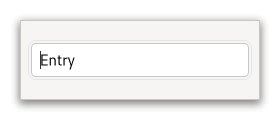
A fairly large set of key bindings are supported by default. If the entered text is longer than the allocation of the widget, the widget will scroll so that the cursor position is visible.
When using an entry for passwords and other sensitive information, it
can be put into “password mode” using setVisibility(boolean).
In this mode, entered text is displayed using a “invisible” character.
By default, GTK picks the best invisible character that is available
in the current font, but it can be changed with
setInvisibleChar(int).
GtkEntry has the ability to display progress or activity
information behind the text. To make an entry display such information,
use setProgressFraction(double) or
setProgressPulseStep(double).
Additionally, GtkEntry can show icons at either side of the entry.
These icons can be activatable by clicking, can be set up as drag source
and can have tooltips. To add an icon, use
setIconFromGicon(org.gnome.gtk.EntryIconPosition, org.gnome.gio.Icon) or one of the various other functions
that set an icon from an icon name or a paintable. To trigger an action when
the user clicks an icon, connect to the Gtk.Entry::icon-press signal.
To allow DND operations from an icon, use
setIconDragSource(org.gnome.gtk.EntryIconPosition, org.gnome.gdk.ContentProvider, java.util.Set<org.gnome.gdk.DragAction>). To set a tooltip on an icon, use
setIconTooltipText(org.gnome.gtk.EntryIconPosition, java.lang.String) or the corresponding function
for markup.
Note that functionality or information that is only available by clicking on an icon in an entry may not be accessible at all to users which are not able to use a mouse or other pointing device. It is therefore recommended that any such functionality should also be available by other means, e.g. via the context menu of the entry.
CSS nodes
 entry[.flat][.warning][.error]
 ├── text[.readonly]
 ├── image.left
 ├── image.right
 ╰── [progress[.pulse]]
GtkEntry has a main node with the name entry. Depending on the properties
of the entry, the style classes .read-only and .flat may appear. The style
classes .warning and .error may also be used with entries.
When the entry shows icons, it adds subnodes with the name image and the style class .left or .right, depending on where the icon appears.
When the entry shows progress, it adds a subnode with the name progress. The node has the style class .pulse when the shown progress is pulsing.
For all the subnodes added to the text node in various situations,
see Text.
GtkEntry as GtkBuildable
The GtkEntry implementation of the GtkBuildable interface supports a
custom <attributes> element, which supports any number of <attribute>
elements. The <attribute> element has attributes named “name“, “value“,
“start“ and “end“ and allows you to specify PangoAttribute values for
this label.
An example of a UI definition fragment specifying Pango attributes:
<object class="GtkEntry">
   <attributes>
     <attribute name="weight" value="PANGO_WEIGHT_BOLD"/>
     <attribute name="background" value="red" start="5" end="10"/>
   </attributes>
 </object>
The start and end attributes specify the range of characters to which the Pango attribute applies. If start and end are not specified, the attribute is applied to the whole text. Note that specifying ranges does not make much sense with translatable attributes. Use markup embedded in the translatable content instead.
Accessibility
GtkEntry uses the Gtk.AccessibleRole.text_box role.
-
Nested Class Summary
Nested ClassesModifier and TypeClassDescriptionstatic interfaceFunctional interface declaration of theActivateCallbackcallback.static classEntry.Builder<B extends Entry.Builder<B>>Inner class implementing a builder pattern to construct a GObject with properties.static classClass structure forGtkEntry.static interfaceFunctional interface declaration of theIconPressCallbackcallback.static interfaceFunctional interface declaration of theIconReleaseCallbackcallback.Nested classes/interfaces inherited from class org.gnome.gtk.Widget
Widget.DestroyCallback, Widget.DirectionChangedCallback, Widget.HideCallback, Widget.KeynavFailedCallback, Widget.MapCallback, Widget.MnemonicActivateCallback, Widget.MoveFocusCallback, Widget.QueryTooltipCallback, Widget.RealizeCallback, Widget.ShowCallback, Widget.StateFlagsChangedCallback, Widget.UnmapCallback, Widget.UnrealizeCallback, Widget.Widget$Impl, Widget.WidgetClassNested classes/interfaces inherited from class org.gnome.gobject.InitiallyUnowned
InitiallyUnowned.InitiallyUnownedClassNested classes/interfaces inherited from class org.gnome.gobject.GObject
GObject.NotifyCallback, GObject.ObjectClassNested classes/interfaces inherited from interface org.gnome.gtk.Accessible
Accessible.Accessible$Impl, Accessible.AccessibleInterfaceNested classes/interfaces inherited from interface org.gnome.gtk.Buildable
Buildable.Buildable$Impl, Buildable.BuildableIfaceNested classes/interfaces inherited from interface org.gnome.gtk.CellEditable
CellEditable.CellEditable$Impl, CellEditable.CellEditableIface, CellEditable.EditingDoneCallback, CellEditable.RemoveWidgetCallbackNested classes/interfaces inherited from interface org.gnome.gtk.ConstraintTarget
ConstraintTarget.ConstraintTarget$Impl, ConstraintTarget.ConstraintTargetInterfaceNested classes/interfaces inherited from interface org.gnome.gtk.Editable
Editable.ChangedCallback, Editable.DeleteTextCallback, Editable.Editable$Impl, Editable.EditableInterface, Editable.InsertTextCallback -
Constructor Summary
ConstructorsConstructorDescriptionEntry()Creates a new Entry.Entry(MemorySegment address) Create a Entry proxy instance for the provided memory address. -
Method Summary
Modifier and TypeMethodDescriptionprotected voidactivate()Class handler for theGtkEntry::activatesignal.protected EntryasParent()Returns this instance as if it were its parent type.static Entry.Builder<? extends Entry.Builder> builder()AEntry.Builderobject constructs aEntrywith the specified properties.voidEmits the "activate" signal.voidemitIconPress(EntryIconPosition iconPos) Emits the "icon-press" signal.voidemitIconRelease(EntryIconPosition iconPos) Emits the "icon-release" signal.booleanRetrieves the value set by gtk_entry_set_activates_default().floatGets the value set by gtk_entry_set_alignment().@Nullable AttrListGets the attribute list of theGtkEntry.Get theGtkEntryBufferobject which holds the text for this widget.@Nullable EntryCompletionDeprecated.GtkEntryCompletion will be removed in GTK 5.intReturns the index of the icon which is the source of the current DND operation, or -1.@Nullable MenuModelGets the menu model set with gtk_entry_set_extra_menu().booleanGets the value set by gtk_entry_set_has_frame().booleangetIconActivatable(EntryIconPosition iconPos) Returns whether the icon is activatable.voidgetIconArea(EntryIconPosition iconPos, Rectangle iconArea) Gets the area where entry’s icon aticonPosis drawn.intgetIconAtPos(int x, int y) Finds the icon at the given position and return its index.@Nullable IcongetIconGicon(EntryIconPosition iconPos) Retrieves theGIconused for the icon.@Nullable StringgetIconName(EntryIconPosition iconPos) Retrieves the icon name used for the icon.@Nullable PaintablegetIconPaintable(EntryIconPosition iconPos) Retrieves theGdkPaintableused for the icon.booleangetIconSensitive(EntryIconPosition iconPos) Returns whether the icon appears sensitive or insensitive.getIconStorageType(EntryIconPosition iconPos) Gets the type of representation being used by the icon to store image data.@Nullable StringgetIconTooltipMarkup(EntryIconPosition iconPos) Gets the contents of the tooltip on the icon at the specified position inentry.@Nullable StringgetIconTooltipText(EntryIconPosition iconPos) Gets the contents of the tooltip on the icon at the specified position inentry.Gets the input hints of thisGtkEntry.Gets the input purpose of theGtkEntry.intRetrieves the character displayed in place of the actual text in “password mode”.intRetrieves the maximum allowed length of the text inentry.static MemoryLayoutThe memory layout of the native struct.@Nullable StringgetMenuEntryIconText(EntryIconPosition iconPos) Gets the text that will be used in the context menu of theGtkEntrywhen the specified icon is activatable.booleanGets whether theGtkEntryis in overwrite mode.@Nullable StringRetrieves the text that will be displayed when this Entry is empty and unfocuseddoubleReturns the current fraction of the task that’s been completed.doubleRetrieves the pulse step set with gtk_entry_set_progress_pulse_step().@Nullable TabArraygetTabs()Gets the tabstops of theGtkEntry.shortRetrieves the current length of the text inentry.static @Nullable TypegetType()Get the GType of the Entry classbooleanRetrieves whether the text in this Entry is visible.booleanCauses this Entry to have keyboard focus.onActivate(Entry.ActivateCallback handler) Emitted when the entry is activated.onIconPress(Entry.IconPressCallback handler) Emitted when an activatable icon is clicked.onIconRelease(Entry.IconReleaseCallback handler) Emitted on the button release from a mouse click over an activatable icon.voidIndicates that some progress is made, but you don’t know how much.voidReset the input method context of the entry if needed.voidsetActivatesDefault(boolean setting) Sets whether pressing Enter in the this Entry will activate the default widget for the window containing the entry.voidsetAlignment(float xalign) Sets the alignment for the contents of the entry.voidsetAttributes(AttrList attrs) Sets aPangoAttrList.voidsetBuffer(EntryBuffer buffer) Set theGtkEntryBufferobject which holds the text for this widget.voidsetCompletion(@Nullable EntryCompletion completion) Deprecated.GtkEntryCompletion will be removed in GTK 5.voidsetExtraMenu(@Nullable MenuModel model) Sets a menu model to add when constructing the context menu forentry.voidsetHasFrame(boolean setting) Sets whether the entry has a beveled frame around it.voidsetIconActivatable(EntryIconPosition iconPos, boolean activatable) Sets whether the icon is activatable.voidsetIconDragSource(EntryIconPosition iconPos, ContentProvider provider, Set<DragAction> actions) Sets up the icon at the given position as drag source.voidsetIconDragSource(EntryIconPosition iconPos, ContentProvider provider, DragAction... actions) Sets up the icon at the given position as drag source.voidsetIconFromGicon(EntryIconPosition iconPos, @Nullable Icon icon) Sets the icon shown in the entry at the specified position from the current icon theme.voidsetIconFromIconName(EntryIconPosition iconPos, @Nullable String iconName) Sets the icon shown in the entry at the specified position from the current icon theme.voidsetIconFromPaintable(EntryIconPosition iconPos, @Nullable Paintable paintable) Sets the icon shown in the specified position using aGdkPaintable.voidsetIconSensitive(EntryIconPosition iconPos, boolean sensitive) Sets the sensitivity for the specified icon.voidsetIconTooltipMarkup(EntryIconPosition iconPos, @Nullable String tooltip) Setstooltipas the contents of the tooltip for the icon at the specified position.voidsetIconTooltipText(EntryIconPosition iconPos, @Nullable String tooltip) Setstooltipas the contents of the tooltip for the icon at the specified position.voidsetInputHints(Set<InputHints> hints) Set additional hints which allow input methods to fine-tune their behavior.voidsetInputHints(InputHints... hints) Set additional hints which allow input methods to fine-tune their behavior.voidsetInputPurpose(InputPurpose purpose) Sets the input purpose which can be used by input methods to adjust their behavior.voidsetInvisibleChar(int ch) Sets the character to use in place of the actual text in “password mode”.voidsetMaxLength(int max) Sets the maximum allowed length of the contents of the widget.voidsetMenuEntryIconText(EntryIconPosition iconPos, String text) Sets the text that will be used in the context menu of theGtkEntrywhen the specified icon is activatable.voidsetOverwriteMode(boolean overwrite) Sets whether the text is overwritten when typing in theGtkEntry.voidsetPlaceholderText(@Nullable String text) Sets text to be displayed in this Entry when it is empty.voidsetProgressFraction(double fraction) Causes the entry’s progress indicator to “fill in” the given fraction of the bar.voidsetProgressPulseStep(double fraction) Sets the fraction of total entry width to move the progress bouncing block for each pulse.voidSets aPangoTabArray.voidsetVisibility(boolean visible) Sets whether the contents of the entry are visible or not.voidUnsets the invisible char, so that the default invisible char is used again.static EntrywithBuffer(EntryBuffer buffer) Creates a new entry with the specified text buffer.Methods inherited from class org.gnome.gtk.Widget
actionSetEnabled, activateActionIfExists, activateDefault, activateWidget, addController, addCssClass, addMnemonicLabel, addTickCallback, allocate, childFocus, computeBounds, computeExpand, computeExpand, computePoint, computeTransform, contains, createPangoContext, createPangoLayout, cssChanged, directionChanged, disposeTemplate, dragCheckThreshold, emitDestroy, emitDirectionChanged, emitHide, emitKeynavFailed, emitMap, emitMnemonicActivate, emitMoveFocus, emitQueryTooltip, emitRealize, emitShow, emitStateFlagsChanged, emitUnmap, emitUnrealize, errorBell, focus, getAllocatedBaseline, getAllocatedHeight, getAllocatedWidth, getAllocation, getAncestor, getBaseline, getCanFocus, getCanTarget, getChildVisible, getClipboard, getColor, getCssClasses, getCssName, getCursor, getDefaultDirection, getDirection, getDisplay, getFirstChild, getFocusable, getFocusChild, getFocusOnClick, getFontMap, getFontOptions, getFrameClock, getHalign, getHasTooltip, getHeight, getHexpand, getHexpandSet, getLastChild, getLayoutManager, getLimitEvents, getMapped, getMarginBottom, getMarginEnd, getMarginStart, getMarginTop, getName, getNative, getNextSibling, getOpacity, getOverflow, getPangoContext, getParent, getPreferredSize, getPrevSibling, getPrimaryClipboard, getRealized, getReceivesDefault, getRequestMode, getRoot, getScaleFactor, getSensitive, getSettings, getSize, getSizeRequest, getStateFlags, getStyleContext, getTemplateChild, getTooltipMarkup, getTooltipText, getValign, getVexpand, getVexpandSet, getVisible, getWidth, grabFocus, hasCssClass, hasDefault, hasFocus, hasVisibleFocus, hide, inDestruction, initTemplate, insertActionGroup, insertAfter, insertBefore, isAncestor, isDrawable, isFocus, isSensitive, isVisible, keynavFailed, listMnemonicLabels, map, measure, mnemonicActivate, moveFocus, observeChildren, observeControllers, onDestroy, onDirectionChanged, onHide, onKeynavFailed, onMap, onMnemonicActivate, onMoveFocus, onQueryTooltip, onRealize, onShow, onStateFlagsChanged, onUnmap, onUnrealize, pick, pick, queryTooltip, queueAllocate, queueDraw, queueResize, realize, removeController, removeCssClass, removeMnemonicLabel, removeTickCallback, root, setCanFocus, setCanTarget, setChildVisible, setCssClasses, setCursor, setCursorFromName, setDefaultDirection, setDirection, setFocusable, setFocusChild, setFocusOnClick, setFontMap, setFontOptions, setHalign, setHasTooltip, setHexpand, setHexpandSet, setLayoutManager, setLimitEvents, setMarginBottom, setMarginEnd, setMarginStart, setMarginTop, setName, setOpacity, setOverflow, setParent, setReceivesDefault, setSensitive, setSizeRequest, setStateFlags, setStateFlags, setTooltipMarkup, setTooltipText, setValign, setVexpand, setVexpandSet, setVisible, shouldLayout, show, sizeAllocate, sizeAllocate, snapshot, snapshotChild, stateFlagsChanged, systemSettingChanged, translateCoordinates, triggerTooltipQuery, unmap, unparent, unrealize, unroot, unsetStateFlags, unsetStateFlagsMethods inherited from class org.gnome.gobject.GObject
addToggleRef, addWeakPointer, bindProperty, bindProperty, bindProperty, bindPropertyFull, bindPropertyFull, bindPropertyWithClosures, bindPropertyWithClosures, compatControl, connect, connect, connect, constructed, disconnect, dispatchPropertiesChanged, dispose, dupData, dupQdata, emit, emitNotify, finalize_, forceFloating, freezeNotify, get, getData, getProperty, getProperty, getProperty, getQdata, getv, interfaceFindProperty, interfaceInstallProperty, interfaceListProperties, isFloating, newInstance, newInstance, newv, notify, notify, notifyByPspec, onNotify, ref, refSink, removeToggleRef, removeWeakPointer, replaceData, replaceQdata, runDispose, set, setData, setDataFull, setProperty, setProperty, setProperty, setQdata, setQdataFull, setv, stealData, stealQdata, takeRef, thawNotify, unref, watchClosure, weakRef, weakUnref, withPropertiesMethods inherited from class org.gnome.gobject.TypeInstance
callParent, callParent, cast, getPrivate, readGClass, writeGClassMethods inherited from class org.javagi.base.ProxyInstance
equals, handle, hashCodeMethods inherited from class java.lang.Object
clone, finalize, getClass, notify, notifyAll, toString, wait, wait, waitMethods inherited from interface org.gnome.gtk.Accessible
announce, getAccessibleParent, getAccessibleRole, getAtContext, getBounds, getFirstAccessibleChild, getNextAccessibleSibling, getPlatformState, resetProperty, resetRelation, resetState, setAccessibleParent, updateNextAccessibleSibling, updatePlatformState, updateProperty, updateRelation, updateStateMethods inherited from interface org.gnome.gtk.Buildable
getBuildableIdMethods inherited from interface org.gnome.gtk.CellEditable
editingDone, emitEditingDone, emitRemoveWidget, onEditingDone, onRemoveWidget, removeWidget, startEditingMethods inherited from interface org.gnome.gtk.Editable
delegateGetAccessiblePlatformState, deleteSelection, deleteText, emitChanged, emitDeleteText, emitInsertText, finishDelegate, getChars, getDelegate, getEditable, getEnableUndo, getMaxWidthChars, getPosition, getSelectionBounds, getText, getWidthChars, initDelegate, insertText, onChanged, onDeleteText, onInsertText, selectRegion, setEditable, setEnableUndo, setMaxWidthChars, setPosition, setText, setWidthChars
-
Constructor Details
-
Entry
Create a Entry proxy instance for the provided memory address.- Parameters:
address- the memory address of the native object
-
Entry
public Entry()Creates a new Entry.
-
-
Method Details
-
getType
-
getMemoryLayout
The memory layout of the native struct.- Returns:
- the memory layout
-
asParent
Returns this instance as if it were its parent type. This is mostly synonymous to the Javasuperkeyword, but will set the native typeclass function pointers to the parent type. When overriding a native virtual method in Java, "chaining up" withsuper.methodName()doesn't work, because it invokes the overridden function pointer again. To chain up, callasParent().methodName(). This will call the native function pointer of this virtual method in the typeclass of the parent type. -
withBuffer
Creates a new entry with the specified text buffer.- Parameters:
buffer- The buffer to use for the newGtkEntry.- Returns:
- a new
GtkEntry
-
getActivatesDefault
public boolean getActivatesDefault()Retrieves the value set by gtk_entry_set_activates_default().- Returns:
trueif the entry will activate the default widget
-
getAlignment
public float getAlignment()Gets the value set by gtk_entry_set_alignment().See also:
Gtk.Editable:xalign- Specified by:
getAlignmentin interfaceEditable- Returns:
- the alignment
-
getAttributes
Gets the attribute list of theGtkEntry.- Returns:
- the attribute list
-
getBuffer
Get theGtkEntryBufferobject which holds the text for this widget.- Returns:
- A
GtkEntryBufferobject.
-
getCompletion
Deprecated.GtkEntryCompletion will be removed in GTK 5.Returns the auxiliary completion object currently in use byentry.- Returns:
- The auxiliary completion object currently in use by this Entry
-
getCurrentIconDragSource
public int getCurrentIconDragSource()Returns the index of the icon which is the source of the current DND operation, or -1.- Returns:
- index of the icon which is the source of the current DND operation, or -1.
-
getExtraMenu
Gets the menu model set with gtk_entry_set_extra_menu().- Returns:
- the menu model
-
getHasFrame
public boolean getHasFrame()Gets the value set by gtk_entry_set_has_frame().- Returns:
- whether the entry has a beveled frame
-
getIconActivatable
Returns whether the icon is activatable.- Parameters:
iconPos- Icon position- Returns:
trueif the icon is activatable.
-
getIconArea
Gets the area where entry’s icon aticonPosis drawn.This function is useful when drawing something to the entry in a draw callback.
If the entry is not realized or has no icon at the given position,
iconAreais filled with zeros. Otherwise,iconAreawill be filled with the icon's allocation, relative toentry'sallocation.- Parameters:
iconPos- Icon positioniconArea- Return location for the icon’s area
-
getIconAtPos
public int getIconAtPos(int x, int y) Finds the icon at the given position and return its index.The position’s coordinates are relative to the
entry’stop left corner. Ifx,ydoesn’t lie inside an icon, -1 is returned. This function is intended for use in aGtk.Widget::query-tooltipsignal handler.- Parameters:
x- the x coordinate of the position to find, relative to this Entryy- the y coordinate of the position to find, relative to this Entry- Returns:
- the index of the icon at the given position, or -1
-
getIconGicon
Retrieves theGIconused for the icon.nullwill be returned if there is no icon or if the icon was set by some other method (e.g., byGdkPaintableor icon name).- Parameters:
iconPos- Icon position- Returns:
- A
GIcon
-
getIconName
Retrieves the icon name used for the icon.nullis returned if there is no icon or if the icon was set by some other method (e.g., byGdkPaintableor gicon).- Parameters:
iconPos- Icon position- Returns:
- An icon name
-
getIconPaintable
Retrieves theGdkPaintableused for the icon.If no
GdkPaintablewas used for the icon,nullis returned.- Parameters:
iconPos- Icon position- Returns:
- A
GdkPaintableif no icon is set for this position or the icon set is not aGdkPaintable.
-
getIconSensitive
Returns whether the icon appears sensitive or insensitive.- Parameters:
iconPos- Icon position- Returns:
trueif the icon is sensitive.
-
getIconStorageType
Gets the type of representation being used by the icon to store image data.If the icon has no image data, the return value will be
ImageType.EMPTY.- Parameters:
iconPos- Icon position- Returns:
- image representation being used
-
getIconTooltipMarkup
Gets the contents of the tooltip on the icon at the specified position inentry.- Parameters:
iconPos- the icon position- Returns:
- the tooltip text
-
getIconTooltipText
Gets the contents of the tooltip on the icon at the specified position inentry.- Parameters:
iconPos- the icon position- Returns:
- the tooltip text
-
getInputHints
Gets the input hints of thisGtkEntry.- Returns:
- the input hints
-
getInputPurpose
Gets the input purpose of theGtkEntry.- Returns:
- the input purpose
-
getInvisibleChar
public int getInvisibleChar()Retrieves the character displayed in place of the actual text in “password mode”.- Returns:
- the current invisible char, or 0, if the entry does not show invisible text at all.
-
getMaxLength
public int getMaxLength()Retrieves the maximum allowed length of the text inentry.See
setMaxLength(int).- Returns:
- the maximum allowed number of characters
in
GtkEntry, or 0 if there is no maximum.
-
getMenuEntryIconText
Gets the text that will be used in the context menu of theGtkEntrywhen the specified icon is activatable. Selecting this item in the menu results, from all aspects, the same than clicking on the specified icon. This greatly simplifies making accessible applications, because the icons aren't focusable when using keyboard navigation. This is why Gtk recommends to add the same action to the context menu.- Parameters:
iconPos- eitherGTKENTRYICONPRIMARYorGTKENTRYICONSECONDARY- Returns:
- the text that will be used in the menu item, or NULL if no menu item is desired.
- Since:
- 4.20
-
getOverwriteMode
public boolean getOverwriteMode()Gets whether theGtkEntryis in overwrite mode.- Returns:
- whether the text is overwritten when typing.
-
getPlaceholderText
Retrieves the text that will be displayed when this Entry is empty and unfocused- Returns:
- a pointer to the
placeholder text as a string. This string points to
internally allocated storage in the widget and must
not be freed, modified or stored. If no placeholder
text has been set,
nullwill be returned.
-
getProgressFraction
public double getProgressFraction()Returns the current fraction of the task that’s been completed.- Returns:
- a fraction from 0.0 to 1.0
-
getProgressPulseStep
public double getProgressPulseStep()Retrieves the pulse step set with gtk_entry_set_progress_pulse_step().- Returns:
- a fraction from 0.0 to 1.0
-
getTabs
Gets the tabstops of theGtkEntry.- Returns:
- the tabstops
-
getTextLength
public short getTextLength()Retrieves the current length of the text inentry.This is equivalent to getting
entry'sGtkEntryBufferand callingEntryBuffer.getLength()on it.- Returns:
- the current number of characters
in
GtkEntry, or 0 if there are none.
-
getVisibility
public boolean getVisibility()Retrieves whether the text in this Entry is visible.- Returns:
trueif the text is currently visible
-
grabFocusWithoutSelecting
public boolean grabFocusWithoutSelecting()Causes this Entry to have keyboard focus.It behaves like
Widget.grabFocus(), except that it doesn't select the contents of the entry. You only want to call this on some special entries which the user usually doesn't want to replace all text in, such as search-as-you-type entries.- Returns:
trueif focus is now insideself
-
progressPulse
public void progressPulse()Indicates that some progress is made, but you don’t know how much.Causes the entry’s progress indicator to enter “activity mode”, where a block bounces back and forth. Each call to gtk_entry_progress_pulse() causes the block to move by a little bit (the amount of movement per pulse is determined by
setProgressPulseStep(double)). -
resetImContext
public void resetImContext()Reset the input method context of the entry if needed.This can be necessary in the case where modifying the buffer would confuse on-going input method behavior.
-
setActivatesDefault
public void setActivatesDefault(boolean setting) Sets whether pressing Enter in the this Entry will activate the default widget for the window containing the entry.This usually means that the dialog containing the entry will be closed, since the default widget is usually one of the dialog buttons.
- Parameters:
setting-trueto activate window’s default widget on Enter keypress
-
setAlignment
public void setAlignment(float xalign) Sets the alignment for the contents of the entry.This controls the horizontal positioning of the contents when the displayed text is shorter than the width of the entry.
See also:
Gtk.Editable:xalign- Specified by:
setAlignmentin interfaceEditable- Parameters:
xalign- The horizontal alignment, from 0 (left) to 1 (right). Reversed for RTL layouts
-
setAttributes
Sets aPangoAttrList.The attributes in the list are applied to the entry text.
Since the attributes will be applied to text that changes as the user types, it makes most sense to use attributes with unlimited extent.
- Parameters:
attrs- aPangoAttrList
-
setBuffer
Set theGtkEntryBufferobject which holds the text for this widget.- Parameters:
buffer- aGtkEntryBuffer
-
setCompletion
Deprecated.GtkEntryCompletion will be removed in GTK 5.Setscompletionto be the auxiliary completion object to use withentry.All further configuration of the completion mechanism is done on
completionusing theGtkEntryCompletionAPI. Completion is disabled ifcompletionis set tonull.- Parameters:
completion- TheGtkEntryCompletion
-
setExtraMenu
Sets a menu model to add when constructing the context menu forentry.- Parameters:
model- aGMenuModel
-
setHasFrame
public void setHasFrame(boolean setting) Sets whether the entry has a beveled frame around it.- Parameters:
setting- new value
-
setIconActivatable
Sets whether the icon is activatable.- Parameters:
iconPos- Icon positionactivatable-trueif the icon should be activatable
-
setIconDragSource
public void setIconDragSource(EntryIconPosition iconPos, ContentProvider provider, Set<DragAction> actions) Sets up the icon at the given position as drag source.This makes it so that GTK will start a drag operation when the user clicks and drags the icon.
- Parameters:
iconPos- icon positionprovider- aGdkContentProvideractions- a bitmask of the allowed drag actions
-
setIconDragSource
public void setIconDragSource(EntryIconPosition iconPos, ContentProvider provider, DragAction... actions) Sets up the icon at the given position as drag source.This makes it so that GTK will start a drag operation when the user clicks and drags the icon.
- Parameters:
iconPos- icon positionprovider- aGdkContentProvideractions- a bitmask of the allowed drag actions
-
setIconFromGicon
Sets the icon shown in the entry at the specified position from the current icon theme.If the icon isn’t known, a “broken image” icon will be displayed instead.
If
iconisnull, no icon will be shown in the specified position.- Parameters:
iconPos- The position at which to set the iconicon- The icon to set
-
setIconFromIconName
Sets the icon shown in the entry at the specified position from the current icon theme.If the icon name isn’t known, a “broken image” icon will be displayed instead.
If
iconNameisnull, no icon will be shown in the specified position.- Parameters:
iconPos- The position at which to set the iconiconName- An icon name
-
setIconFromPaintable
Sets the icon shown in the specified position using aGdkPaintable.If
paintableisnull, no icon will be shown in the specified position.- Parameters:
iconPos- Icon positionpaintable- AGdkPaintable
-
setIconSensitive
Sets the sensitivity for the specified icon.- Parameters:
iconPos- Icon positionsensitive- Specifies whether the icon should appear sensitive or insensitive
-
setIconTooltipMarkup
Setstooltipas the contents of the tooltip for the icon at the specified position.tooltipis assumed to be marked up with Pango Markup.Use
nullfortooltipto remove an existing tooltip.See also
Widget.setTooltipMarkup(java.lang.String)andsetIconTooltipText(org.gnome.gtk.EntryIconPosition, java.lang.String).- Parameters:
iconPos- the icon positiontooltip- the contents of the tooltip for the icon
-
setIconTooltipText
Setstooltipas the contents of the tooltip for the icon at the specified position.Use
nullfortooltipto remove an existing tooltip.See also
Widget.setTooltipText(java.lang.String)andsetIconTooltipMarkup(org.gnome.gtk.EntryIconPosition, java.lang.String).If you unset the widget tooltip via
Widget.setTooltipText(java.lang.String)orWidget.setTooltipMarkup(java.lang.String), this setsGtk.Widget:has-tooltiptofalse, which suppresses icon tooltips too. You can resolve this by then callingWidget.setHasTooltip(boolean)to setGtk.Widget:has-tooltipback totrue, or setting at least one non-empty tooltip on any icon achieves the same result.- Parameters:
iconPos- the icon positiontooltip- the contents of the tooltip for the icon
-
setInputHints
Set additional hints which allow input methods to fine-tune their behavior.- Parameters:
hints- the hints
-
setInputHints
Set additional hints which allow input methods to fine-tune their behavior.- Parameters:
hints- the hints
-
setInputPurpose
Sets the input purpose which can be used by input methods to adjust their behavior.- Parameters:
purpose- the purpose
-
setInvisibleChar
public void setInvisibleChar(int ch) Sets the character to use in place of the actual text in “password mode”.See
setVisibility(boolean)for how to enable “password mode”.By default, GTK picks the best invisible char available in the current font. If you set the invisible char to 0, then the user will get no feedback at all; there will be no text on the screen as they type.
- Parameters:
ch- a Unicode character
-
setMaxLength
public void setMaxLength(int max) Sets the maximum allowed length of the contents of the widget.If the current contents are longer than the given length, then they will be truncated to fit. The length is in characters.
This is equivalent to getting
entry'sGtkEntryBufferand callingEntryBuffer.setMaxLength(int)on it.- Parameters:
max- the maximum length of the entry, or 0 for no maximum. (other than the maximum length of entries.) The value passed in will be clamped to the range 0-65536.
-
setMenuEntryIconText
Sets the text that will be used in the context menu of theGtkEntrywhen the specified icon is activatable. Selecting this item in the menu results, from all aspects, the same than clicking on the specified icon. This greatly simplifies making accessible applications, because the icons aren't focusable when using keyboard navigation. This is why Gtk recommends to add the same action to the context menu.- Parameters:
iconPos- eitherGTKENTRYICONPRIMARYorGTKENTRYICONSECONDARYtext- the text used for the menu item in the context menu, or NULL to not add a menu item.- Since:
- 4.20
-
setOverwriteMode
public void setOverwriteMode(boolean overwrite) Sets whether the text is overwritten when typing in theGtkEntry.- Parameters:
overwrite- new value
-
setPlaceholderText
Sets text to be displayed in this Entry when it is empty.This can be used to give a visual hint of the expected contents of the
GtkEntry.- Parameters:
text- a string to be displayed when this Entry is empty and unfocused
-
setProgressFraction
public void setProgressFraction(double fraction) Causes the entry’s progress indicator to “fill in” the given fraction of the bar.The fraction should be between 0.0 and 1.0, inclusive.
- Parameters:
fraction- fraction of the task that’s been completed
-
setProgressPulseStep
public void setProgressPulseStep(double fraction) Sets the fraction of total entry width to move the progress bouncing block for each pulse.Use
progressPulse()to pulse the progress.- Parameters:
fraction- fraction between 0.0 and 1.0
-
setTabs
Sets aPangoTabArray.The tabstops in the array are applied to the entry text.
- Parameters:
tabs- aPangoTabArray
-
setVisibility
public void setVisibility(boolean visible) Sets whether the contents of the entry are visible or not.When visibility is set to
false, characters are displayed as the invisible char, and will also appear that way when the text in the entry widget is copied elsewhere.By default, GTK picks the best invisible character available in the current font, but it can be changed with
setInvisibleChar(int).Note that you probably want to set
Gtk.Entry:input-purposetoInputPurpose.PASSWORDorInputPurpose.PINto inform input methods about the purpose of this entry, in addition to setting visibility tofalse.- Parameters:
visible-trueif the contents of the entry are displayed as plaintext
-
unsetInvisibleChar
public void unsetInvisibleChar()Unsets the invisible char, so that the default invisible char is used again. SeesetInvisibleChar(int). -
activate
protected void activate()Class handler for theGtkEntry::activatesignal. The default implementation activates the gtk.activate-default action. -
onActivate
Emitted when the entry is activated.The keybindings for this signal are all forms of the Enter key.
- Parameters:
handler- the signal handler- Returns:
- a signal handler ID to keep track of the signal connection
- See Also:
-
emitActivate
public void emitActivate()Emits the "activate" signal. SeeonActivate(org.gnome.gtk.Entry.ActivateCallback). -
onIconPress
Emitted when an activatable icon is clicked.- Parameters:
handler- the signal handler- Returns:
- a signal handler ID to keep track of the signal connection
- See Also:
-
emitIconPress
Emits the "icon-press" signal. SeeonIconPress(org.gnome.gtk.Entry.IconPressCallback). -
onIconRelease
Emitted on the button release from a mouse click over an activatable icon.- Parameters:
handler- the signal handler- Returns:
- a signal handler ID to keep track of the signal connection
- See Also:
-
emitIconRelease
Emits the "icon-release" signal. SeeonIconRelease(org.gnome.gtk.Entry.IconReleaseCallback). -
builder
AEntry.Builderobject constructs aEntrywith the specified properties. Use the variousset...()methods to set properties, and finish construction withEntry.Builder.build().- Returns:
- the builder object
-