Class Popover
- All Implemented Interfaces:
Accessible,Buildable,ConstraintTarget,Native,ShortcutManager,Proxy
- Direct Known Subclasses:
EmojiChooser,PopoverMenu
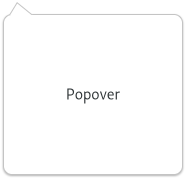
It is primarily meant to provide context-dependent information
or options. Popovers are attached to a parent widget. The parent widget
must support popover children, as MenuButton and
PopoverMenuBar do. If you want to make a custom widget that
has an attached popover, you need to call present()
in your Widget.sizeAllocate(org.gnome.gtk.Allocation, int) vfunc, in order to update the
positioning of the popover.
The position of a popover relative to the widget it is attached to
can also be changed with setPosition(org.gnome.gtk.PositionType). By default,
it points to the whole widget area, but it can be made to point to
a specific area using setPointingTo(org.gnome.gdk.Rectangle).
By default, GtkPopover performs a grab, in order to ensure input
events get redirected to it while it is shown, and also so the popover
is dismissed in the expected situations (clicks outside the popover,
or the Escape key being pressed). If no such modal behavior is desired
on a popover, setAutohide(boolean) may be called on it to
tweak its behavior.
GtkPopover as menu replacement
GtkPopover is often used to replace menus. The best way to do this
is to use the PopoverMenu subclass which supports being
populated from a GMenuModel with PopoverMenu.fromModel(org.gnome.gio.MenuModel).
<section>
   <attribute name="display-hint">horizontal-buttons</attribute>
   <item>
     <attribute name="label">Cut</attribute>
     <attribute name="action">app.cut</attribute>
     <attribute name="verb-icon">edit-cut-symbolic</attribute>
   </item>
   <item>
     <attribute name="label">Copy</attribute>
     <attribute name="action">app.copy</attribute>
     <attribute name="verb-icon">edit-copy-symbolic</attribute>
   </item>
   <item>
     <attribute name="label">Paste</attribute>
     <attribute name="action">app.paste</attribute>
     <attribute name="verb-icon">edit-paste-symbolic</attribute>
   </item>
 </section>
Shortcuts and Gestures
GtkPopover supports the following keyboard shortcuts:
Escapecloses the popover.Altmakes the mnemonics visible.
The following signals have default keybindings:
Gtk.Popover::activate-default
CSS nodes
 popover.background[.menu]
 ├── arrow
 ╰── contents
     ╰── <child>
GtkPopover has a main node with name popover, an arrow with name arrow,
and another node for the content named contents. The popover node always
gets the .background style class. It also gets the .menu style class
if the popover is menu-like, e.g. is a PopoverMenu.
Particular uses of GtkPopover, such as touch selection popups or
magnifiers in GtkEntry or GtkTextView get style classes like
.touch-selection or .magnifier to differentiate from plain popovers.
When styling a popover directly, the popover node should usually
not have any background. The visible part of the popover can have
a shadow. To specify it in CSS, set the box-shadow of the contents node.
Note that, in order to accomplish appropriate arrow visuals, GtkPopover
uses custom drawing for the arrow node. This makes it possible for the
arrow to change its shape dynamically, but it also limits the possibilities
of styling it using CSS. In particular, the arrow gets drawn over the
content node's border and shadow, so they look like one shape, which
means that the border width of the content node and the arrow node should
be the same. The arrow also does not support any border shape other than
solid, no border-radius, only one border width (border-bottom-width is
used) and no box-shadow.
-
Nested Class Summary
Nested ClassesModifier and TypeClassDescriptionstatic interfaceFunctional interface declaration of theActivateDefaultCallbackcallback.static classPopover.Builder<B extends Popover.Builder<B>>Inner class implementing a builder pattern to construct a GObject with properties.static interfaceFunctional interface declaration of theClosedCallbackcallback.static classNested classes/interfaces inherited from class org.gnome.gtk.Widget
Widget.DestroyCallback, Widget.DirectionChangedCallback, Widget.HideCallback, Widget.KeynavFailedCallback, Widget.MapCallback, Widget.MnemonicActivateCallback, Widget.MoveFocusCallback, Widget.QueryTooltipCallback, Widget.RealizeCallback, Widget.ShowCallback, Widget.StateFlagsChangedCallback, Widget.UnmapCallback, Widget.UnrealizeCallback, Widget.Widget$Impl, Widget.WidgetClassNested classes/interfaces inherited from class org.gnome.gobject.InitiallyUnowned
InitiallyUnowned.InitiallyUnownedClassNested classes/interfaces inherited from class org.gnome.gobject.GObject
GObject.NotifyCallback, GObject.ObjectClassNested classes/interfaces inherited from interface org.gnome.gtk.Accessible
Accessible.Accessible$Impl, Accessible.AccessibleInterfaceNested classes/interfaces inherited from interface org.gnome.gtk.Buildable
Buildable.Buildable$Impl, Buildable.BuildableIfaceNested classes/interfaces inherited from interface org.gnome.gtk.ConstraintTarget
ConstraintTarget.ConstraintTarget$Impl, ConstraintTarget.ConstraintTargetInterfaceNested classes/interfaces inherited from interface org.gnome.gtk.Native
Native.Native$Impl, Native.NativeInterfaceNested classes/interfaces inherited from interface org.gnome.gtk.ShortcutManager
ShortcutManager.ShortcutManager$Impl, ShortcutManager.ShortcutManagerInterface -
Constructor Summary
ConstructorsConstructorDescriptionPopover()Creates a new Popover.Popover(MemorySegment address) Create a Popover proxy instance for the provided memory address. -
Method Summary
Modifier and TypeMethodDescriptionvoidActivates thedefault.activateaction for the widget.protected PopoverasParent()Returns this instance as if it were its parent type.static Popover.Builder<? extends Popover.Builder> builder()APopover.Builderobject constructs aPopoverwith the specified properties.protected voidclosed()voidEmits the "activate-default" signal.voidEmits the "closed" signal.booleanReturns whether the popover is modal.booleanReturns whether the popover will close after a modal child is closed.@Nullable WidgetgetChild()Gets the child widget ofpopover.booleanGets whether this popover is showing an arrow pointing at the widget that it is relative to.static MemoryLayoutThe memory layout of the native struct.booleanGets whether mnemonics are visible.voidGets the offset previous set withsetOffset(int, int).booleangetPointingTo(Rectangle rect) Gets the rectangle that the popover points to.Returns the preferred position ofpopover.static @Nullable TypegetType()Get the GType of the Popover classEmitted whend the user activates the default widget.onClosed(Popover.ClosedCallback handler) Emitted when the popover is closed.voidpopdown()Pops this Popover down.voidpopup()Pops this Popover up.voidpresent()Allocate a size for theGtkPopover.voidsetAutohide(boolean autohide) Sets whether this Popover is modal.voidsetCascadePopdown(boolean cascadePopdown) IfcascadePopdownistrue, the popover will be closed when a child modal popover is closed.voidSets the child widget ofpopover.voidsetDefaultWidget(@Nullable Widget widget) Sets the default widget of aGtkPopover.voidsetHasArrow(boolean hasArrow) Sets whether this popover should draw an arrow pointing at the widget it is relative to.voidsetMnemonicsVisible(boolean mnemonicsVisible) Sets whether mnemonics should be visible.voidsetOffset(int xOffset, int yOffset) Sets the offset to use when calculating the position of the popover.voidsetPointingTo(@Nullable Rectangle rect) Sets the rectangle that this Popover points to.voidsetPosition(PositionType position) Sets the preferred position for this Popover to appear.Methods inherited from class org.gnome.gtk.Widget
actionSetEnabled, activateActionIfExists, activateWidget, addController, addCssClass, addMnemonicLabel, addTickCallback, allocate, childFocus, computeBounds, computeExpand, computeExpand, computePoint, computeTransform, contains, createPangoContext, createPangoLayout, cssChanged, directionChanged, disposeTemplate, dragCheckThreshold, emitDestroy, emitDirectionChanged, emitHide, emitKeynavFailed, emitMap, emitMnemonicActivate, emitMoveFocus, emitQueryTooltip, emitRealize, emitShow, emitStateFlagsChanged, emitUnmap, emitUnrealize, errorBell, focus, getAllocatedBaseline, getAllocatedHeight, getAllocatedWidth, getAllocation, getAncestor, getBaseline, getCanFocus, getCanTarget, getChildVisible, getClipboard, getColor, getCssClasses, getCssName, getCursor, getDefaultDirection, getDirection, getDisplay, getFirstChild, getFocusable, getFocusChild, getFocusOnClick, getFontMap, getFontOptions, getFrameClock, getHalign, getHasTooltip, getHeight, getHexpand, getHexpandSet, getLastChild, getLayoutManager, getLimitEvents, getMapped, getMarginBottom, getMarginEnd, getMarginStart, getMarginTop, getName, getNative, getNextSibling, getOpacity, getOverflow, getPangoContext, getParent, getPreferredSize, getPrevSibling, getPrimaryClipboard, getRealized, getReceivesDefault, getRequestMode, getRoot, getScaleFactor, getSensitive, getSettings, getSize, getSizeRequest, getStateFlags, getStyleContext, getTemplateChild, getTooltipMarkup, getTooltipText, getValign, getVexpand, getVexpandSet, getVisible, getWidth, grabFocus, hasCssClass, hasDefault, hasFocus, hasVisibleFocus, hide, inDestruction, initTemplate, insertActionGroup, insertAfter, insertBefore, isAncestor, isDrawable, isFocus, isSensitive, isVisible, keynavFailed, listMnemonicLabels, map, measure, mnemonicActivate, moveFocus, observeChildren, observeControllers, onDestroy, onDirectionChanged, onHide, onKeynavFailed, onMap, onMnemonicActivate, onMoveFocus, onQueryTooltip, onRealize, onShow, onStateFlagsChanged, onUnmap, onUnrealize, pick, pick, queryTooltip, queueAllocate, queueDraw, queueResize, realize, removeController, removeCssClass, removeMnemonicLabel, removeTickCallback, root, setCanFocus, setCanTarget, setChildVisible, setCssClasses, setCursor, setCursorFromName, setDefaultDirection, setDirection, setFocusable, setFocusChild, setFocusOnClick, setFontMap, setFontOptions, setHalign, setHasTooltip, setHexpand, setHexpandSet, setLayoutManager, setLimitEvents, setMarginBottom, setMarginEnd, setMarginStart, setMarginTop, setName, setOpacity, setOverflow, setParent, setReceivesDefault, setSensitive, setSizeRequest, setStateFlags, setStateFlags, setTooltipMarkup, setTooltipText, setValign, setVexpand, setVexpandSet, setVisible, shouldLayout, show, sizeAllocate, sizeAllocate, snapshot, snapshotChild, stateFlagsChanged, systemSettingChanged, translateCoordinates, triggerTooltipQuery, unmap, unparent, unrealize, unroot, unsetStateFlags, unsetStateFlagsMethods inherited from class org.gnome.gobject.GObject
addToggleRef, addWeakPointer, bindProperty, bindProperty, bindProperty, bindPropertyFull, bindPropertyFull, bindPropertyWithClosures, bindPropertyWithClosures, compatControl, connect, connect, connect, constructed, disconnect, dispatchPropertiesChanged, dispose, dupData, dupQdata, emit, emitNotify, finalize_, forceFloating, freezeNotify, get, getData, getProperty, getProperty, getProperty, getQdata, getv, interfaceFindProperty, interfaceInstallProperty, interfaceListProperties, isFloating, newInstance, newInstance, newv, notify, notify, notifyByPspec, onNotify, ref, refSink, removeToggleRef, removeWeakPointer, replaceData, replaceQdata, runDispose, set, setData, setDataFull, setProperty, setProperty, setProperty, setQdata, setQdataFull, setv, stealData, stealQdata, takeRef, thawNotify, unref, watchClosure, weakRef, weakUnref, withPropertiesMethods inherited from class org.gnome.gobject.TypeInstance
callParent, callParent, cast, getPrivate, readGClass, writeGClassMethods inherited from class org.javagi.base.ProxyInstance
equals, handle, hashCodeMethods inherited from class java.lang.Object
clone, finalize, getClass, notify, notifyAll, toString, wait, wait, waitMethods inherited from interface org.gnome.gtk.Accessible
announce, getAccessibleParent, getAccessibleRole, getAtContext, getBounds, getFirstAccessibleChild, getNextAccessibleSibling, getPlatformState, resetProperty, resetRelation, resetState, setAccessibleParent, updateNextAccessibleSibling, updatePlatformState, updateProperty, updateRelation, updateStateMethods inherited from interface org.gnome.gtk.Buildable
getBuildableIdMethods inherited from interface org.gnome.gtk.Native
getRenderer, getSurface, getSurfaceTransform, realize, unrealize
-
Constructor Details
-
Popover
Create a Popover proxy instance for the provided memory address.- Parameters:
address- the memory address of the native object
-
Popover
public Popover()Creates a new Popover.
-
-
Method Details
-
getType
-
getMemoryLayout
The memory layout of the native struct.- Returns:
- the memory layout
-
asParent
Returns this instance as if it were its parent type. This is mostly synonymous to the Javasuperkeyword, but will set the native typeclass function pointers to the parent type. When overriding a native virtual method in Java, "chaining up" withsuper.methodName()doesn't work, because it invokes the overridden function pointer again. To chain up, callasParent().methodName(). This will call the native function pointer of this virtual method in the typeclass of the parent type. -
getAutohide
public boolean getAutohide()Returns whether the popover is modal.See
setAutohide(boolean)for the implications of this.- Returns:
trueif this Popover is modal
-
getCascadePopdown
public boolean getCascadePopdown()Returns whether the popover will close after a modal child is closed.- Returns:
trueif this Popover will close after a modal child.
-
getChild
Gets the child widget ofpopover.- Returns:
- the child widget of this Popover
-
getHasArrow
public boolean getHasArrow()Gets whether this popover is showing an arrow pointing at the widget that it is relative to.- Returns:
- whether the popover has an arrow
-
getMnemonicsVisible
public boolean getMnemonicsVisible()Gets whether mnemonics are visible.- Returns:
trueif mnemonics are supposed to be visible in this popover
-
getOffset
Gets the offset previous set withsetOffset(int, int).- Parameters:
xOffset- a location for the x_offsetyOffset- a location for the y_offset
-
getPointingTo
Gets the rectangle that the popover points to.If a rectangle to point to has been set, this function will return
trueand fill inrectwith such rectangle, otherwise it will returnfalseand fill inrectwith the parent widget coordinates.- Parameters:
rect- location to store the rectangle- Returns:
trueif a rectangle to point to was set.
-
getPosition
Returns the preferred position ofpopover.- Returns:
- The preferred position.
-
popdown
public void popdown()Pops this Popover down.This may have the side-effect of closing a parent popover as well. See
Gtk.Popover:cascade-popdown. -
popup
public void popup()Pops this Popover up. -
present
public void present()Allocate a size for theGtkPopover.This function needs to be called in size-allocate by widgets who have a
GtkPopoveras child. When using a layout manager, this is happening automatically.To make a popover appear on screen, use
popup(). -
setAutohide
public void setAutohide(boolean autohide) Sets whether this Popover is modal.A modal popover will grab the keyboard focus on it when being displayed. Focus will wrap around within the popover. Clicking outside the popover area or pressing Esc will dismiss the popover.
Called this function on an already showing popup with a new autohide value different from the current one, will cause the popup to be hidden.
- Parameters:
autohide-trueto dismiss the popover on outside clicks
-
setCascadePopdown
public void setCascadePopdown(boolean cascadePopdown) IfcascadePopdownistrue, the popover will be closed when a child modal popover is closed.If
false, this Popover will stay visible.- Parameters:
cascadePopdown-trueif the popover should follow a child closing
-
setChild
Sets the child widget ofpopover.- Parameters:
child- the child widget
-
setDefaultWidget
Sets the default widget of aGtkPopover.The default widget is the widget that’s activated when the user presses Enter in a dialog (for example). This function sets or unsets the default widget for a
GtkPopover.- Parameters:
widget- a child widget of this Popover to set as the default, ornullto unset the default widget for the popover
-
setHasArrow
public void setHasArrow(boolean hasArrow) Sets whether this popover should draw an arrow pointing at the widget it is relative to.- Parameters:
hasArrow-trueto draw an arrow
-
setMnemonicsVisible
public void setMnemonicsVisible(boolean mnemonicsVisible) Sets whether mnemonics should be visible.- Parameters:
mnemonicsVisible- the new value
-
setOffset
public void setOffset(int xOffset, int yOffset) Sets the offset to use when calculating the position of the popover.These values are used when preparing the
Gdk.PopupLayoutfor positioning the popover.- Parameters:
xOffset- the x offset to adjust the position byyOffset- the y offset to adjust the position by
-
setPointingTo
Sets the rectangle that this Popover points to.This is in the coordinate space of the this Popover parent.
- Parameters:
rect- rectangle to point to
-
setPosition
Sets the preferred position for this Popover to appear.If the this Popover is currently visible, it will be immediately updated.
This preference will be respected where possible, although on lack of space (eg. if close to the window edges), the
GtkPopovermay choose to appear on the opposite side.- Parameters:
position- preferred popover position
-
activateDefault
public void activateDefault()Description copied from class:WidgetActivates thedefault.activateaction for the widget.The action is looked up in the same was as for
Widget#activateAction.- Overrides:
activateDefaultin classWidget
-
closed
protected void closed() -
onActivateDefault
public SignalConnection<Popover.ActivateDefaultCallback> onActivateDefault(Popover.ActivateDefaultCallback handler) Emitted whend the user activates the default widget.This is a keybinding signal.
The default binding for this signal is
Enter.- Parameters:
handler- the signal handler- Returns:
- a signal handler ID to keep track of the signal connection
- See Also:
-
emitActivateDefault
public void emitActivateDefault()Emits the "activate-default" signal. SeeonActivateDefault(org.gnome.gtk.Popover.ActivateDefaultCallback). -
onClosed
Emitted when the popover is closed.- Parameters:
handler- the signal handler- Returns:
- a signal handler ID to keep track of the signal connection
- See Also:
-
emitClosed
public void emitClosed()Emits the "closed" signal. SeeonClosed(org.gnome.gtk.Popover.ClosedCallback). -
builder
APopover.Builderobject constructs aPopoverwith the specified properties. Use the variousset...()methods to set properties, and finish construction withPopover.Builder.build().- Returns:
- the builder object
-